Part 2. Setting up the R536
2.1 Charging the battery
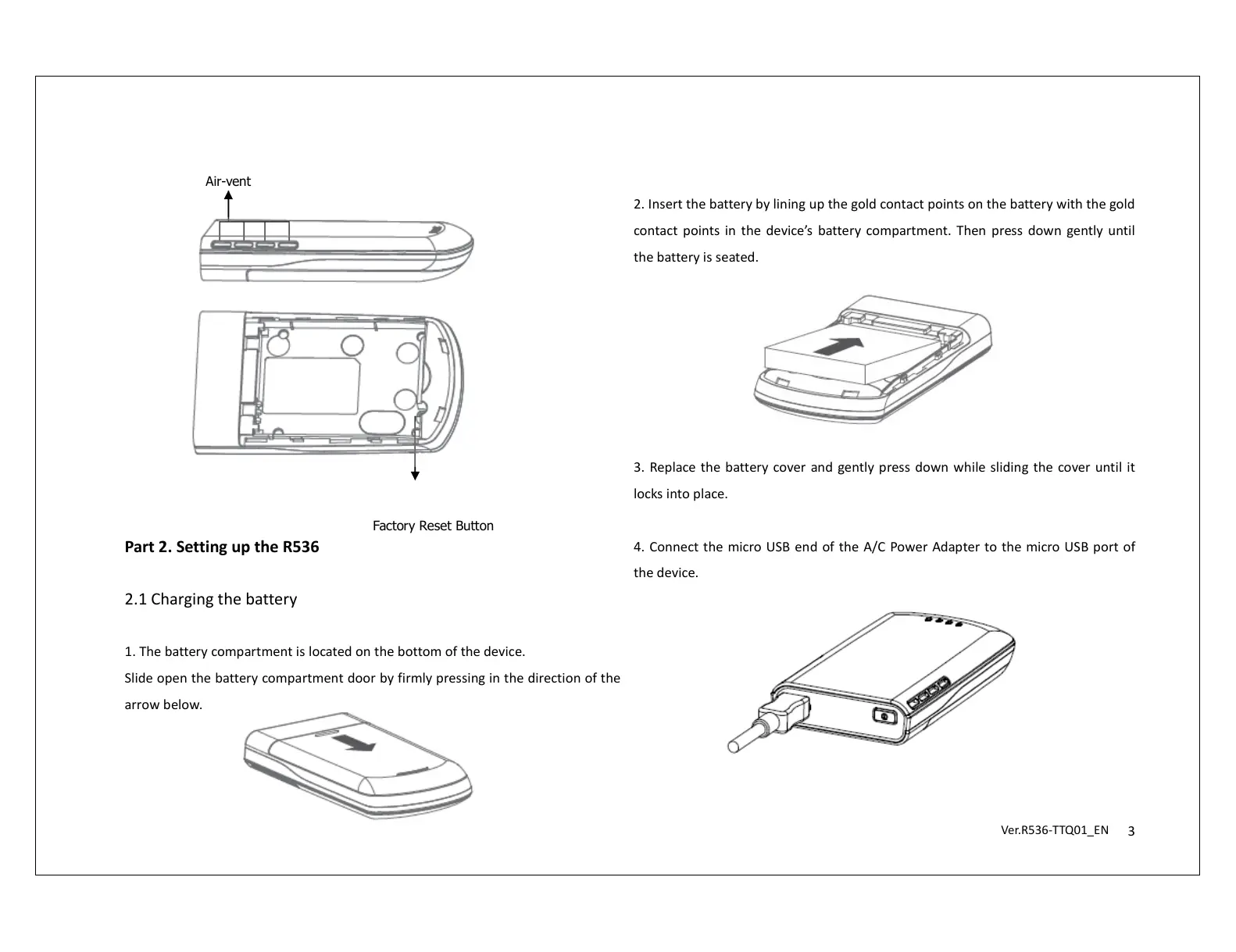
1. The battery compartment is located on the bottom of the device.
Slide open the battery compartment door by firmly pressing in the direction of the
arrow below.
2. Insert the battery by lining up the gold contact points on the battery with the gold
contact points in the device’s battery compartment. Then press down gently until
the battery is seated.
3. Replace the battery cover and gently press down while sliding the cover until it
locks into place.
4. Connect the micro USB end of the A/C Power Adapter to the micro USB port of
the device.
Air-vent
Factory Reset Button


 To Next Page
 Loading...