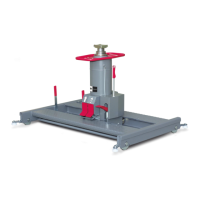
Meaning of the colours (LED [11]) on the control panel
Green marked lifting units behave like a group. When you press the
buttons Raise or Lower, they all move together. The movement
command can be made from any lifting unit.
Displays those lifting units that are already assigned a position on the
vehicle. They do not respond to commands, but are ready to join the
group.
An error was detected. Error code is shown on the display.
Screen goes off, sleep mode
back to the initial state
with any key
Screen in sleep mode,
In addition, group operation is
cancelled
Activate the screen with
any key.
Set up group operation
again.
If an error occurs in sleep mode, the system is automatically activated and remains active until the
error is corrected.
10.2.1 Display with control buttons



 To Next Page