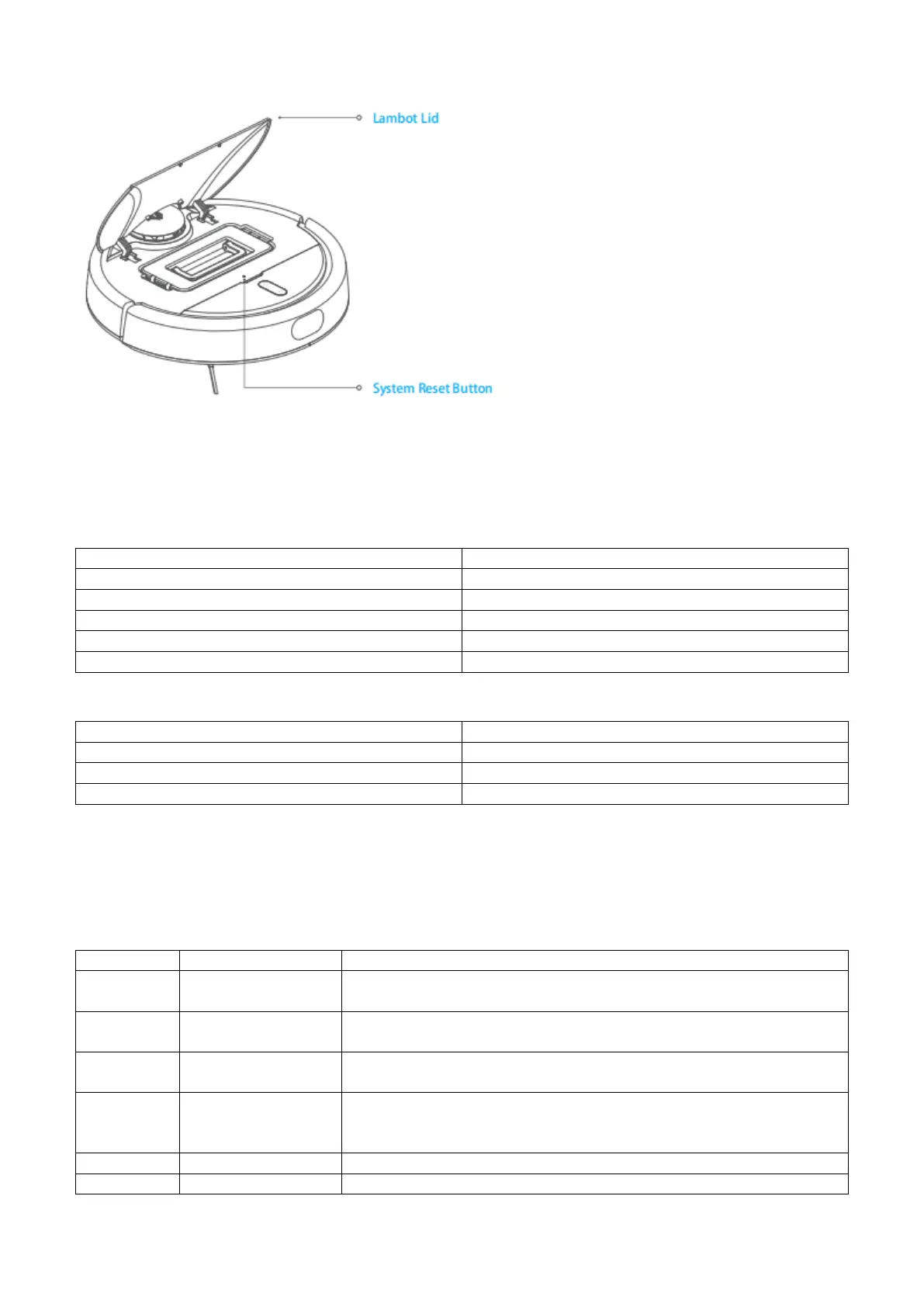
Top Lid、System Reset Button
SPECIFICATIONS
BW-VC1 Robot Cleaner
Charging Station
TROUBLESHOOTING
If your robot cleaner does not work as expected, or its power button is flashing quickly. Please check the following
table or follow the instructions in the APP for solutions.
The Lidar gets stuck or obscured. Please remove any obstacles, or put the
the robot cleaner back on the charging station and relaunch it.
The impact sensor is stuck. Please pat the impact bar several times to
recover its position. Move the robot to a different place and relaunch it.
Wall-following sensor
error.
clean the surface of the wall-following sensor to ensure there is no dust
or dirt on it.
Robot cleaner has
lifted up.
Make sure the ground is level and remove any obstacles that lift the
robot. If the error still exists, clean the cliff sensors on the bottom of the
robot cleaner.
Clean the cliff sensors on the bottom of the robot.
Clean the dust bin and make sure that it is installed properly.


 To Next Page