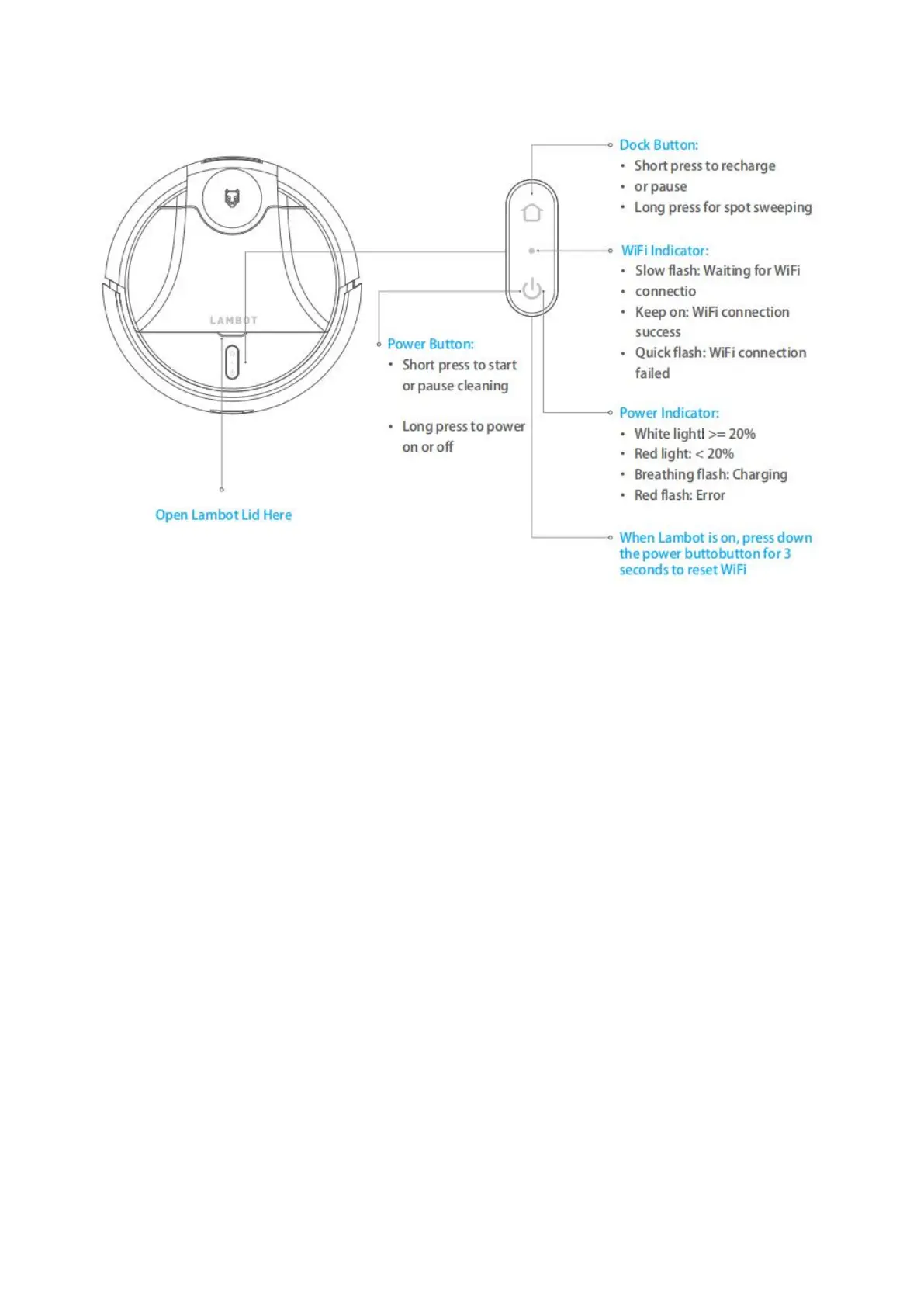
Open Top Lid Here
Power Button:
Short press to start or pause cleaning.
Long press to power on or off.
Dock Button:
Short press to recharge or pause.
Long press for spot sweeping.
Wi-Fi Indicator:
Slow flash: Waiting for Wi-Fi connection.
Solid on: Wi-Fi connected.
Quick flash: Wi-Fi connection failed.
Power Indicator:
White light: >= 20%
Red light: < 20%
Flashing white: Charging
White light: fully charged
Red flash: Error
When the robot cleaner is on, press the power button and dock button simultaneously for 3s to reset Wi-Fi
settings.


 To Next Page