32
bringing the oven into operation
before you start cooking
cleaning the microwave oven and accessories
Remove the accessories from the combi-microwave oven and
clean the oven with a mild cleaning agent.
Switch the hot-air function on for one hour at 250 °C (see
page 12).
Protective greases used during manufacture will then be
removed.
remark
When the oven is heated strongly for the first time, it will
have a 'new' smell. This is normal. Switch the extractor hood
on if necessary or open a window.
After the oven has cooled down, clean it with warm water.
setting the time
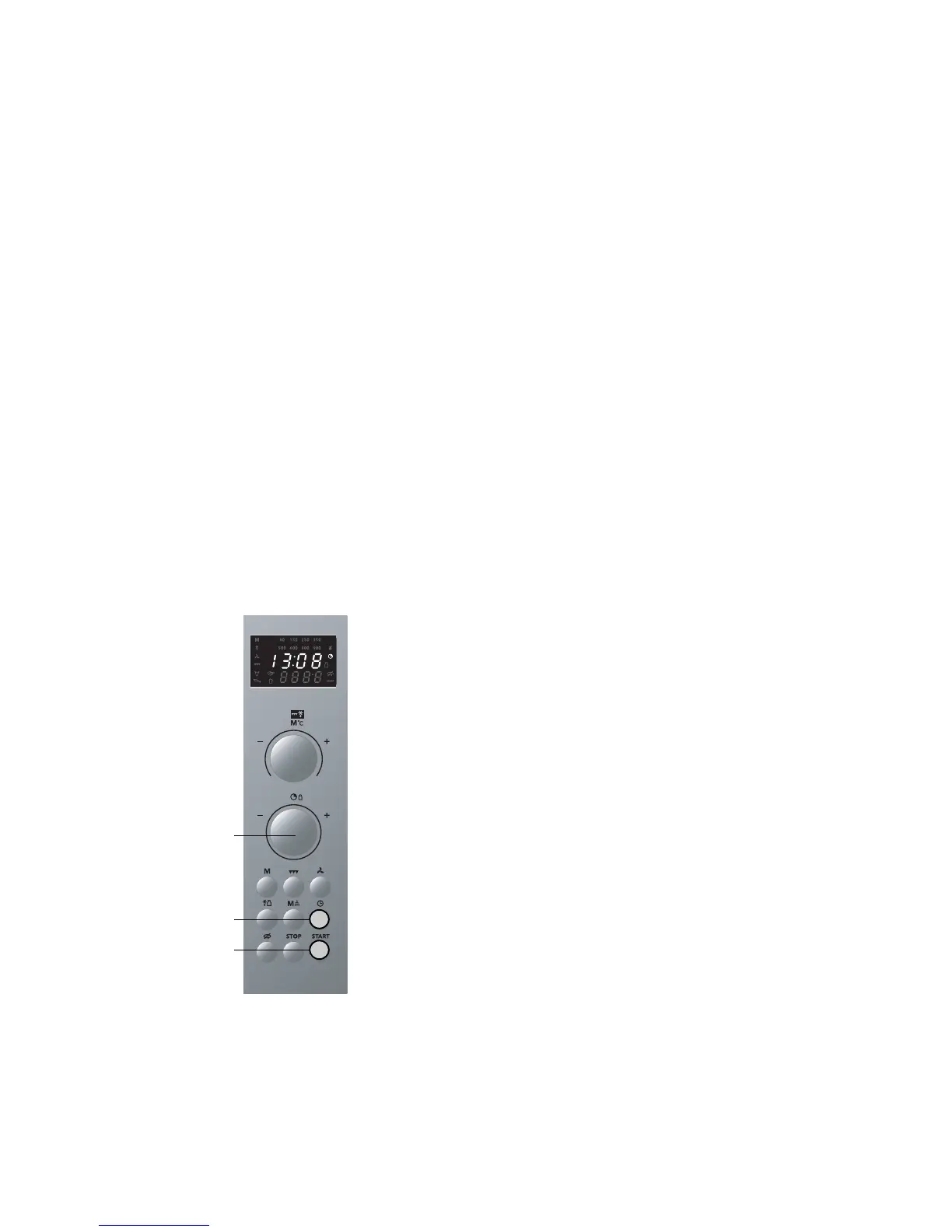
1 Press the time selector button.
The clock symbol starts to blink.
2 Set the correct time using the rotary knob.
The start symbol starts to blink.
3 Press 'start' and the time has been set. The Stop or time
selector button could also be used.
You can hide the time. Press the time selector button for
3 seconds and the time will disappear from the display. When
you press the time selector switch again, the time will
reappear.
2
1
3



 To Next Page