EasyManua.ls Logo

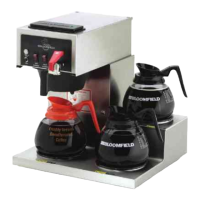
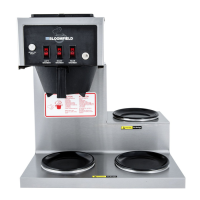
Bloomfield Koffee-King 8542 - User Manual

Bloomfield Koffee-King 8542
27 pages
Print Icon
To Next Page IconTo Next Page
Loading...
p/n 2M-75804 Rev. K M611 130610
OWNERS MANUAL
For
MODULAR
BREWING SYSTEMS
MODELS
POUR OVER AUTOMATIC AUTOMATIC
UNITS UNITS UNITS
WITH FAUCET
8542 8541 8540
8543 8573 8572
8571 8574
Includes:
Installation
Use & Care
Servicing Instructions
Model 8574 Brewer
with optional
8900-Series Glass Decanters
611
Fax (707) 448-1521
2060 Cessna Drive, Suite 100
Phone: (707) 448-5151
Wunder-Bar
www.wunderbar.com
Vacaville, CA 95688 U.S.A

Other manuals for Bloomfield Koffee-King 8542

Questions and Answers

  • T
    Theresa JonesAug 10, 2025
    Why won't my Bloomfield Brewing Systems heat water?
    • P
      pamelapetersonAug 10, 2025
      If your Bloomfield Brewing Systems isn't heating water, several factors could be the cause. First, ensure the brewer is plugged in and the circuit breaker hasn't tripped; check the power supply cord and reset the circuit breaker if necessary. The thermostat might be set too low, so adjust it to the desired temperature. The hi-limit thermostat may have tripped, requiring you to allow it to cool and reset it (for models 8786, 8788). Also, examine the internal wiring, connectors, thermostat, and heating element for damage, repairing or replacing components as needed. Lastly, if it's a pour-over model, ensure enough water was added at startup.
  • B
    bairdjasmineAug 14, 2025
    What to do if my Bloomfield Brewing Systems (automatic) won't brew?
    • B
      Bill MendozaAug 14, 2025
      If your automatic Bloomfield Brewing Systems isn't brewing, start by checking if the water supply is turned ON. Inspect the water line strainer for blockages and clean it if necessary. A faulty BREW switch could also be the culprit, requiring replacement. Examine the internal wiring, connectors, brew switch, and solenoid for any damage, repairing or replacing them as needed. Ensure the faucet valve is turned ON and that the faucet isn't plugged; if it is, disassemble and clean it.
  • S
    Sean KlineAug 19, 2025
    How to improve coffee quality in my Bloomfield Brewing Systems?
    • K
      kevinblackSep 12, 2025
      To improve the coffee quality from your Bloomfield Brewing Systems, make sure the water temperature is correctly adjusted between 195-205ºF. Also, replace cartridges regularly and use a quality coffee with a consistent roast, ensuring you use the proper grind and amount of coffee per brew.
  • T
    Tammy DyerAug 25, 2025
    Why is the coffee level too high or low in my Bloomfield Brewing Systems (automatic)?
    • M
      Maria WilliamsAug 26, 2025
      If the coffee level is too high or low in your automatic Bloomfield Brewing Systems, the timer may be out of adjustment, requiring you to adjust it. Check the brew chamber dispense hole for any blockages and thoroughly clean the brew chamber. Also, adjust the coffee amount and grind.
  • J
    Jonathan MccormickAug 30, 2025
    How to fix water spraying from the brew head of my Bloomfield Brewing Systems?
    • T
      Todd CastilloAug 30, 2025
      If water sprays from the brew head of your Bloomfield Brewing Systems, the spray gasket might be improperly installed. Check and reinstall the gasket on the INSIDE of the brew head. Additionally, the spray disk could be plugged, so clean the spray disk.
  • W
    Wanda SandersSep 3, 2025
    What to do if the coffee level is low in my Bloomfield Brewing Systems (pour-over)?
    • A
      andrewgonzalesSep 4, 2025
      If the coffee level is low in your pour-over Bloomfield Brewing Systems, you may not be pouring in enough water; increase the water amount. Alternatively, you might be using too much coffee grounds; adjust the amount of grounds accordingly.

Bloomfield Koffee-King 8542 Specifications

General IconGeneral
BrandBloomfield
ModelKoffee-King 8542
CategoryCoffee Maker
LanguageEnglish

Related product manuals