Setting up your phone
Inserting the Nano SIM card and microSD card
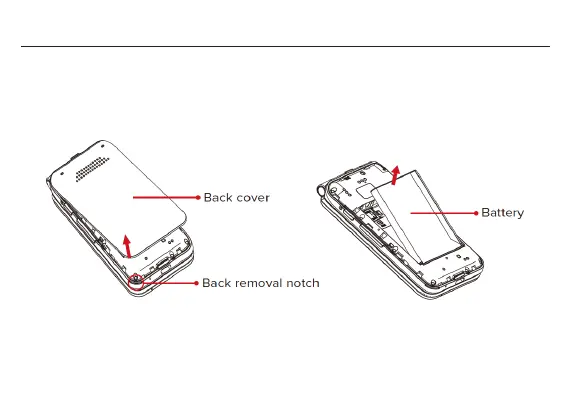
1. Remove the back cover via the notch at the bottom left corner.
2. Insert a fingernail into the small slot and pull up to remove the battery.
3. To insert a Nano SIM or microSD card, push the Nano SIM or microSD card into the
corresponding card slot with the gold-connectors facing down.


 To Next Page