32
Storage
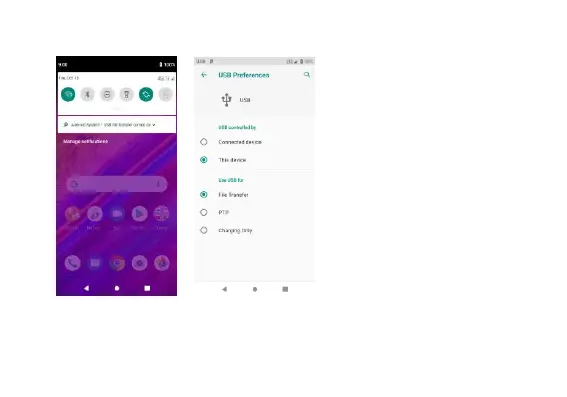
Connect the phone with the USB
cable provided. Once connected,
a connection notification will
appear. In the connection mode
interface, select “File Transfer” to
be able to transfer files. Other
storage options are also
available.
Some system settings, hardware,
and UI options may vary
depending on final version.


 To Next Page