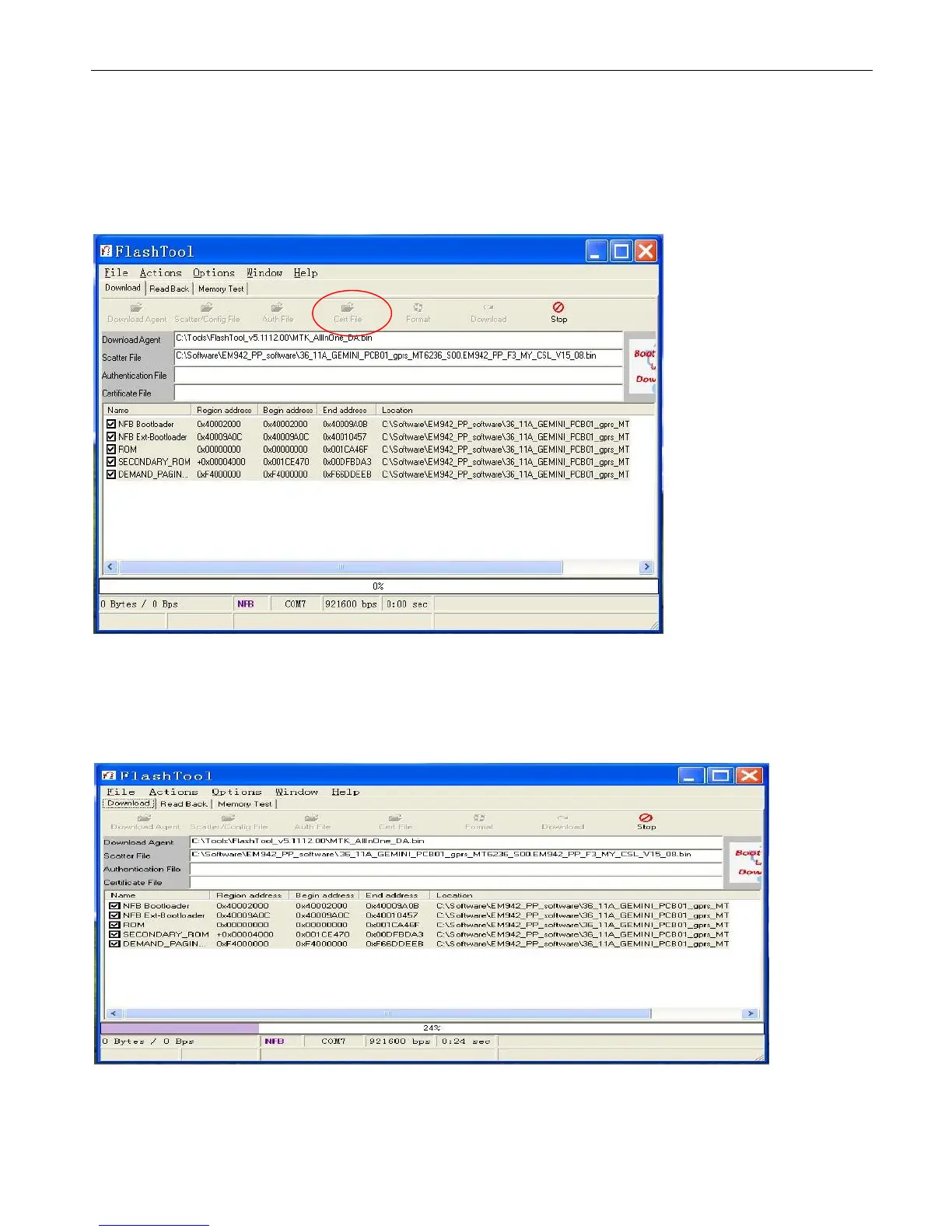
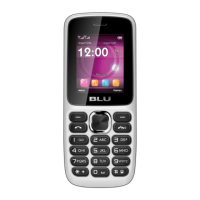
9.1.9 Power off the handset, remove the battery, click “Download”, and connect the cable with handset, then insert the battery,
press the power on button, the gray, red, blue, green and gray progress bar shall appear. Then upgrade would be completed when
appear “OK”.
9.1.10 Backup the data. (gray progress bar)


 To Next Page