Need help?
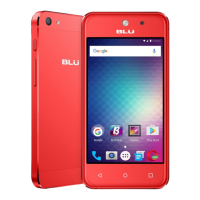
Do you have a question about the Blu vivo air lte and is the answer not in the manual?
Essential safety rules for phone usage, transportation, and hospital environments.
Covers water hazards, battery safety, emergency calls, and device cleaning procedures.
Steps to turn the phone on/off and manage call functions.
Understanding notification icons and managing the status bar.
Managing contacts, sending SMS, and multimedia messages.
Using Opera Browser for web access and Gmail for email.
Accessing Play Store, Camera, Gallery, Music, and FM Radio.
Utilizing File Manager, Calendar, and Alarm Clock for daily tasks.
Configuring Wi-Fi, Bluetooth, data usage, and network settings.
Adjusting display, sound preferences, and managing device storage.
Setting up screen locks, SIM security, and managing accounts.
Configuring date/time, scheduled power, and accessibility features.
Connecting the phone via USB to transfer files to a computer.
Resolving common phone problems like power, connectivity, and app issues.
 General
| Brand | Blu |
|---|---|
| Model | vivo air lte |
| Category | Cell Phone |
| Language | English |


 To Next Page