Need help?
Do you have a question about the Blu VIEW SPEED 5G and is the answer not in the manual?
Access Home screen and Google Assistant.
Navigate back to previous screen or option.
Adjust audio volume levels.
Wake, lock, and access power options.
View and manage recent apps, split screen, screenshots.
Locate Serial Number and Phone Number.
Find your SIM card's unique number.
Utilize cloud storage for data backup and synchronization.
Methods for taking screen captures.
Secure device with PIN, pattern, password, or face unlock.
This document provides an introduction to the BLU View Speed 5G, a smartphone designed for personal and business communication. It outlines the phone's physical components, essential information, and various advanced features related to cloud storage, accessibility, camera, data usage, gestures, digital wellbeing, parental controls, multiple users, nearby sharing, security, and Wi-Fi functionalities.
The BLU View Speed 5G is a mobile device offering a range of functionalities for communication, entertainment, and productivity. It integrates advanced features to enhance user experience and cater to diverse needs. The phone is designed to be user-friendly, with options for customization and security.
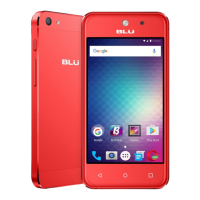
The phone features a headset connector, SIM/memory card slot, volume keys, power/lock key, and a USB connector.
Google One is a cloud storage solution that helps free up device memory by storing important information like documents, files, and photos in the cloud. It enables collaboration and sharing across devices. Accessing Google One requires a Gmail account. This feature ensures data backup, sync, restore, and upgrade experiences across Android devices, protecting data from loss due to a lost, stolen, or broken device. Data stored is private and encrypted.
The phone offers special features and enhancements to make it easier to use, especially for individuals with physical, sensory, or cognitive disabilities. These include interaction controls, system controls, general functions, display adjustments, captions, and audio enhancements, which can be turned ON/OFF as needed.
The camera allows users to capture pictures and videos. Photos and videos are saved to the Photos folder by default. Users can back up media to the Cloud or a compatible microSD card to save memory space. Special features include touch shot, framing lines, time-lapse, geo-tagging, motion photo, and Google Lens.
Screenshots are automatically saved in a "Screenshots" album within Photos. They can be captured by pressing the Power key and Volume DOWN key simultaneously, or by tapping the recently-used applications icon and then selecting "Screenshot."
This feature integrates the phone with a compatible car's entertainment system. It mirrors the phone's screen onto the car's display, allowing users to access phone functions via voice commands or the car's touchscreen/buttons, minimizing the need to physically interact with the phone while driving.
The phone provides options to monitor and limit data usage according to the user's service plan. Users can turn mobile data ON/OFF, activate Data Saver, set limits on mobile data usage, and monitor app-specific data consumption. Connecting to secure Wi-Fi networks with passwords is recommended to conserve data.
Gesture features allow customization of notifications, actions, and device interaction, including shortcuts for various functions. Users can quickly open the camera by pressing the power button twice, navigate screens using gestures or buttons, launch Google Assistant by pressing and holding the power button, and set the phone to vibrate or mute by pressing the power and volume UP keys simultaneously. Access to contacts, SMS, device location, camera, and other services may be required to enable these features.
This feature helps users monitor and manage their digital habits. The Dashboard provides a daily summary, automatically pausing apps when a daily limit is reached. Focus mode and Bedtime mode help users disconnect from their screens. Parental controls, managed through Google's Family Link app, allow supervision of children's digital life, including restrictions on Google services, app approvals, content filters, and screen time limits.
The device supports multiple user profiles, allowing different individuals to customize the phone with their preferred apps, wallpaper, accessibility features, and other settings. App updates and settings for shared functions (like Wi-Fi) apply to all user profiles.
This platform uses Bluetooth Low Energy to facilitate sharing of pictures, files, links, and other content between compatible devices, even from different manufacturers. Visibility settings can be adjusted to control received files.
Allows users to manage app permissions for device features like the camera, microphone, or location services. Users can set the device to notify them when access is requested for specific categories.
The phone has unique identifier numbers (Serial Number, Phone Number, SIM Number/ICCID) accessible via Settings > About device. These numbers are important for activation and other functions. The Serial Number appears under IMEI, and the Phone Number is listed as "Phone number." The SIM Number (ICCID) is found under SIM status and starts with "89." It can also be found on the red Activation Card or the SIM card itself.
Users should only use BLU authorized batteries and accessories. Batteries should not be disposed of with uncontrolled daily waste.
The product should be operated only with the type of power source indicated on the electrical ratings label. If unsure, consult an authorized service provider or local power company. For battery-powered products, refer to the operating instructions.
The phone meets government requirements for exposure to radio waves and is designed not to exceed emission limits for radio frequency (RF) energy set by the Federal Communications Commission of the U.S. Government.
The device is designed with recycling in mind, and users are encouraged to recycle it.
More information about the device's features can be found online by visiting the service provider's website, navigating to Help > Tutorials and User Manuals, entering "B1550VL" in the search bar, clicking the phone image, and selecting "About Phone."
 General
| Processor | MediaTek Dimensity 700 |
|---|---|
| GPU | Mali-G57 MC2 |
| RAM | 4GB |
| Front Camera | 8MP |
| 5G Support | Yes |
| Display Type | IPS |
| Storage | 64GB |
| Rear Camera | 13MP |
| Battery | 4000 mAh |
| Operating System | Android |
| SIM | Nano-SIM |
| Network | 5G |
| CPU Speed | Octa-Core 2.2GHz |


 To Next Page