2 3
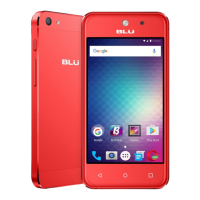
WELCOME TO THE View Speed 5G
With so many advanced features, this phone is the perfect choice
foryourpersonalandbusinesscommunicationneeds.Inthis
booklet,we’dliketoshareanintroductiontosomeofthose
features.
Getmoreinformationaboutthesefeaturesonline:
Gotoyourserviceprovider’swebsite>Help>
TutorialsandUserManuals>EnterB1550VLintheSearchbar>
Clickphoneimage>AboutPhone
ESSENTIAL INFORMATION
Yourphonehasseveraluniqueidentiernumbersthatyoumay
need for activation and other functions. You can access these
numbersasfollows:
Unique Numbers
←
Home>Swipeup>Settings>Aboutdevice
YourSerialNumberwillappearunderIMEI.
YourPhoneNumberwillappearunderPhone number.
SIM Number
←
Home>Swipeup>Settings>Aboutdevice>SIMstatus
YourSIMNumberwillappearunderICCID.
YourSIMnumberbeginswith89.Youcannditonthered
ActivationCardthatcamewithyourphoneor,ontheSIMcard.
CLOUD STORAGE
Google One
←
Settings>System>Backup>BackupbyGoogleOne
GoogleOneisacloudstoragesolutionthatallowsyoutofree
up memory space on your device and still have full access to
yourmostimportantinformation,allowingyoutocollaborateon
documentsandtoshareles,photosandmore.Youwillneedto
create a Gmail account during the setup process of your phone
or at google.com/gmail to access some cloud services, Google
services, and several phone features.
WhenyouusetheCloud,youwillnothavetoworryaboutlosing
yourdatatoalost,stolen,orabrokendevice.Youwillgetaneasy
andseamlessbackup,sync,restore,andupgradeexperience
acrossallyourAndroiddevices.ThelesyoustoreonGoogle
Oneareprivatebydefaultandareencryptedusingyouraccount
password.Accountandprivacysettingscanbechangedas
necessary.



 To Next Page