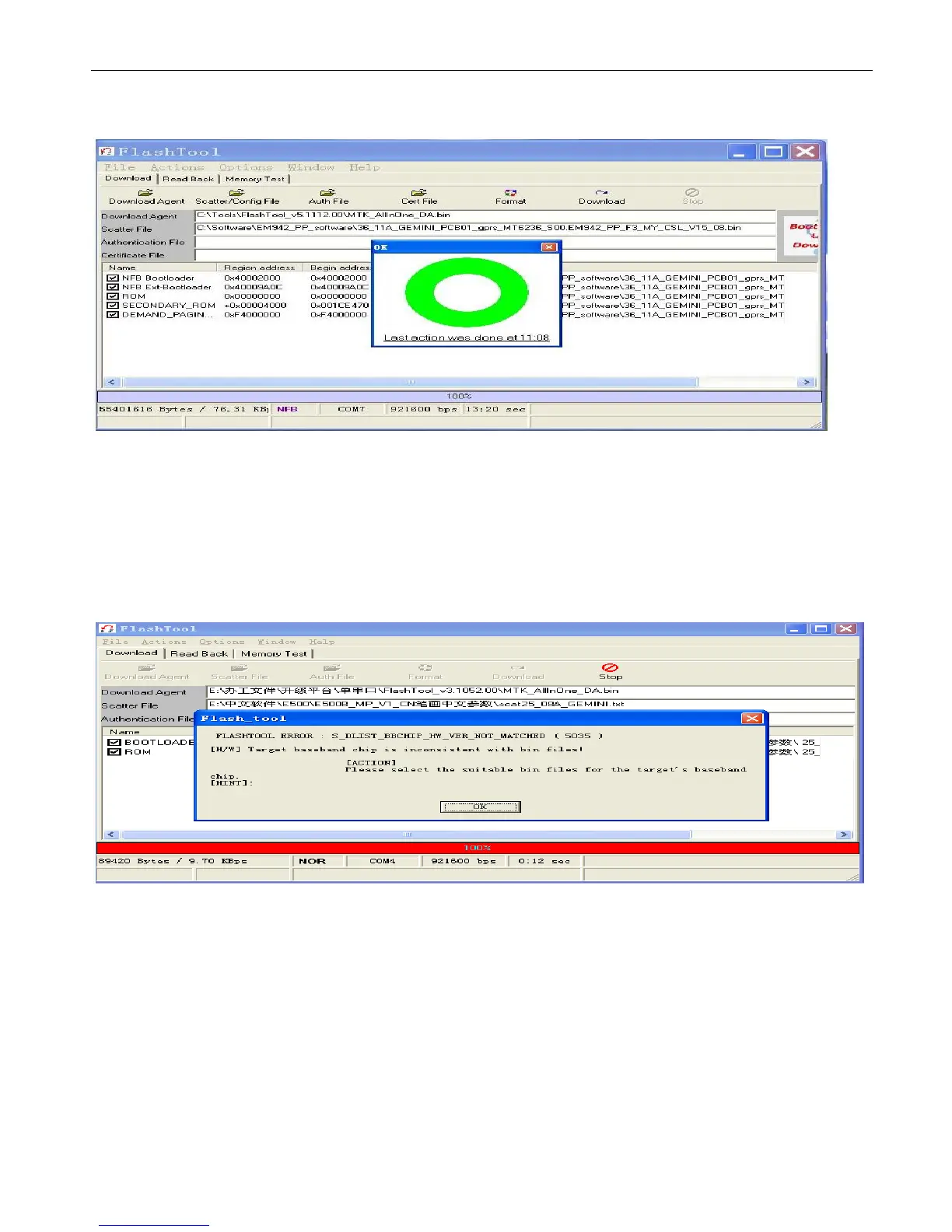
9.1.13 Downloading is completed.
9.1.14 Power on phone and input “*#84666*#”, select “one key Restore”, phone will be reboot, then the user’s setting
could be eliminated entirely.
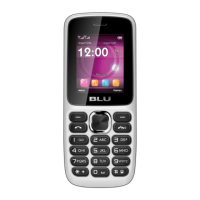
Description: can’t power on(also upgrade software fail)
Root cause: red scroll 100% run completely when upgrade software, the detail as figure 1, also it prove power supply, clock is
normal and defective typical issue is focus on CPU or FLASH poor soldering or damage, and maybe software
do not fit for hardware.
Corrective action: check software fit for hardware whether or not, resolding CPU and FLASH or exchange new CPU and
FLASH.


 To Next Page