41
Chapter 9 Firmware Upgrading Guide
Firmware Upgrading
1. Install USB driver
The maximum downloading speed can be up to 921600bit/s when using USB-Serial cable.
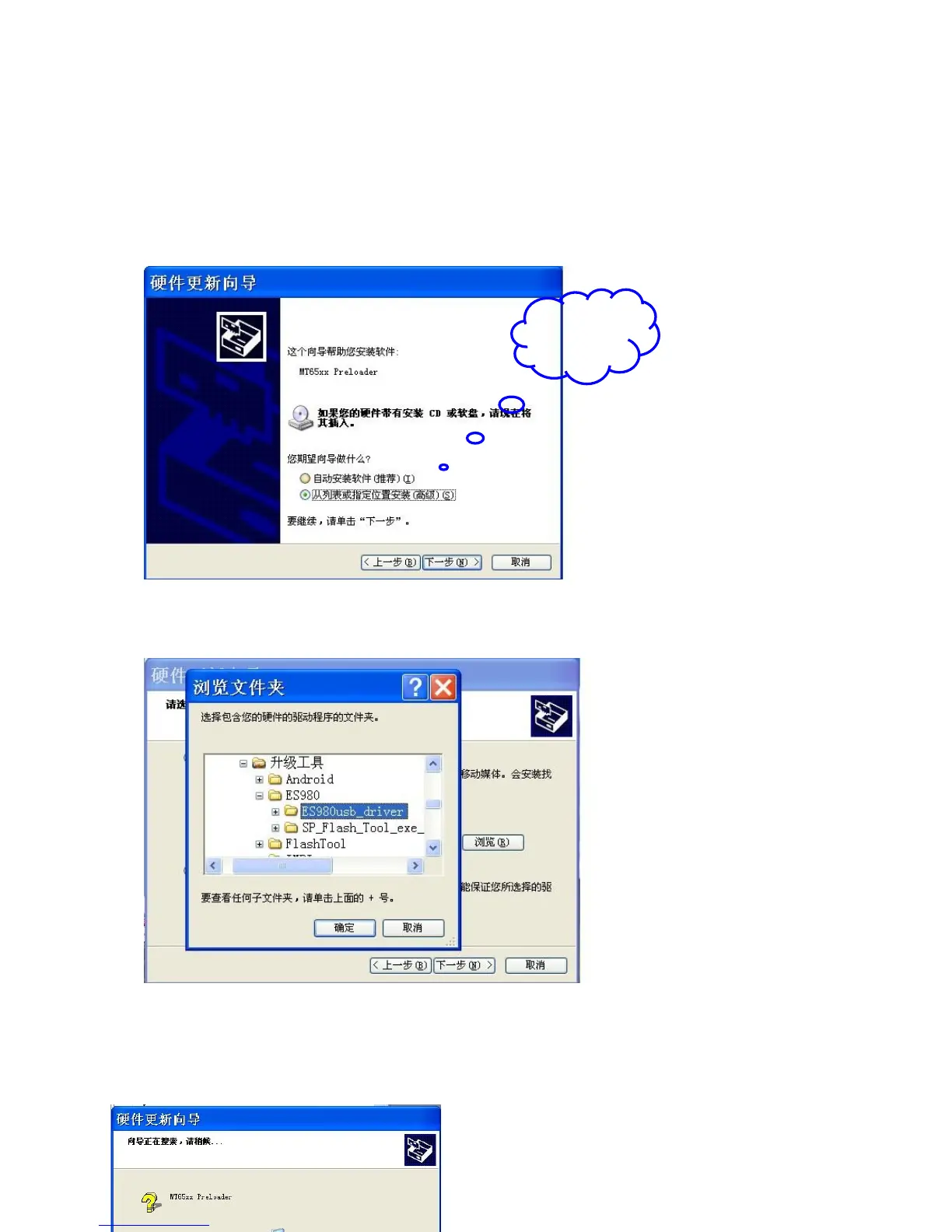
The driver needs to be installed before using the USB cable.
1> computer eject hardware installation instruction and choose following item and then click’’next step’’
2> click ‘’browser’’ and choose the driver saved path’’S8032usb-driver’’ and then click confirm and next
step.
3> USB driver is installing.



 To Next Page