21
About Phone
You can check the information on status and remaining
power.
Storage
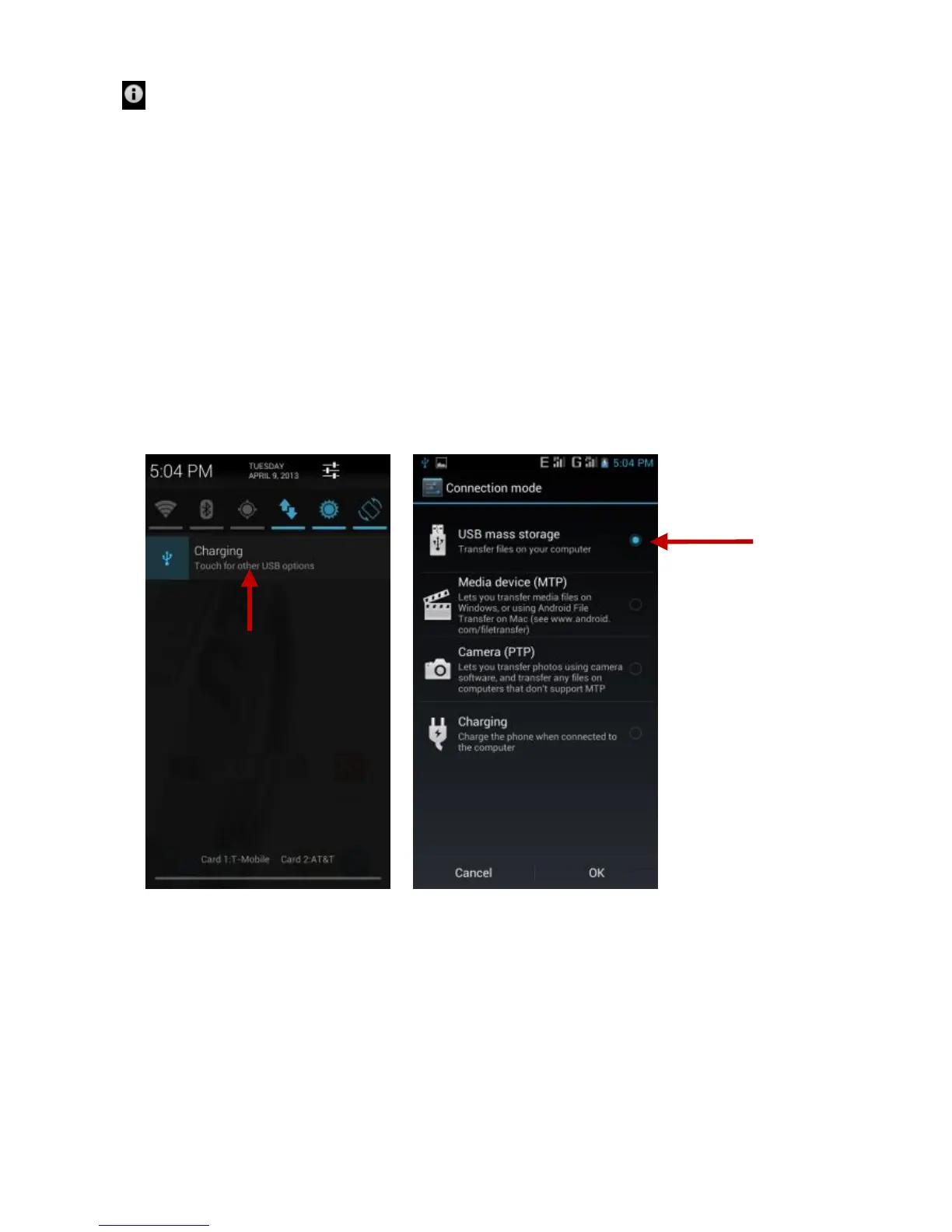
Connect the phone with the USB cable provided. Once connected, a
connection icon will appear in the status bar. Slide down bar and
click on connection icon. Once in the connection mode interface,
select “USB mass storage” and turn on from the connection screen.



 To Previous Page