BLU STUDIO C 5+5 LTE - Quick Start Guide
Setting Up Your New Smartphone (Page 1 of 2)
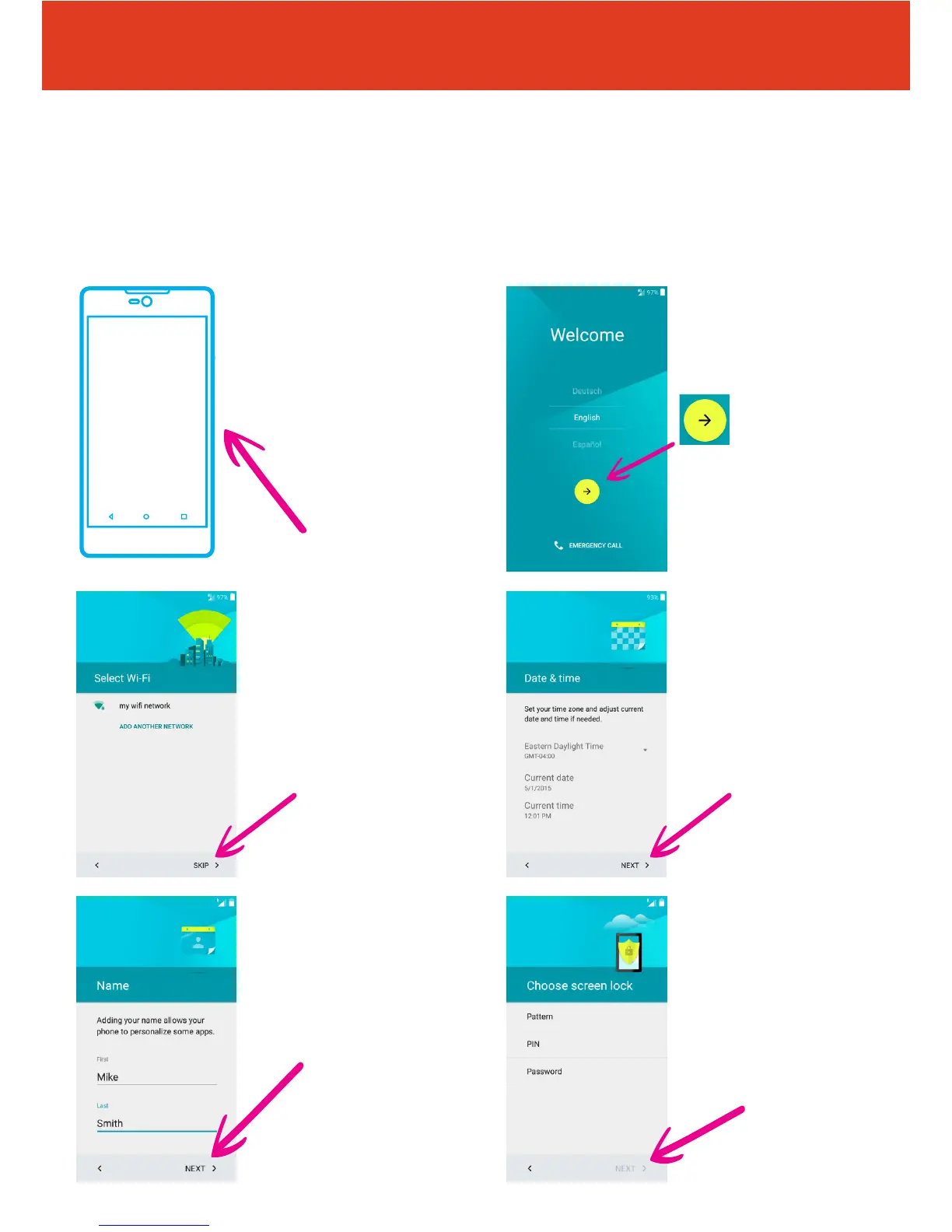
To get started with your smartphone, follow these steps:
2 First, select your
language from the
dropdown box, then tap
the arrow icon.
4 Now set up the date
and time and tap “NEXT”.
6 Now you can secure
your phone by tapping
either “Pattern, PIN or
Password”. If you do not
wish to secure your phone
at this stage you can also
“SKIP” this step. When
nished tap “NEXT”.
3 Set up a wi
connection.
(or skip this step and
set up later if wi isn’t
available).
5 Now ll in who the
phone belongs to and tap
“NEXT”.
QS50Ver08JUL16
1 To turn the phone
on press and hold the
power button on the right
hand side of the phone,
underneath the volume
buttons.



 To Next Page