BLU STUDIO C 5+5 LTE - Quick Start Guide
Setting Up Your New Smartphone (Page 2 of 2)
To get started with your smartphone, continue with these steps:
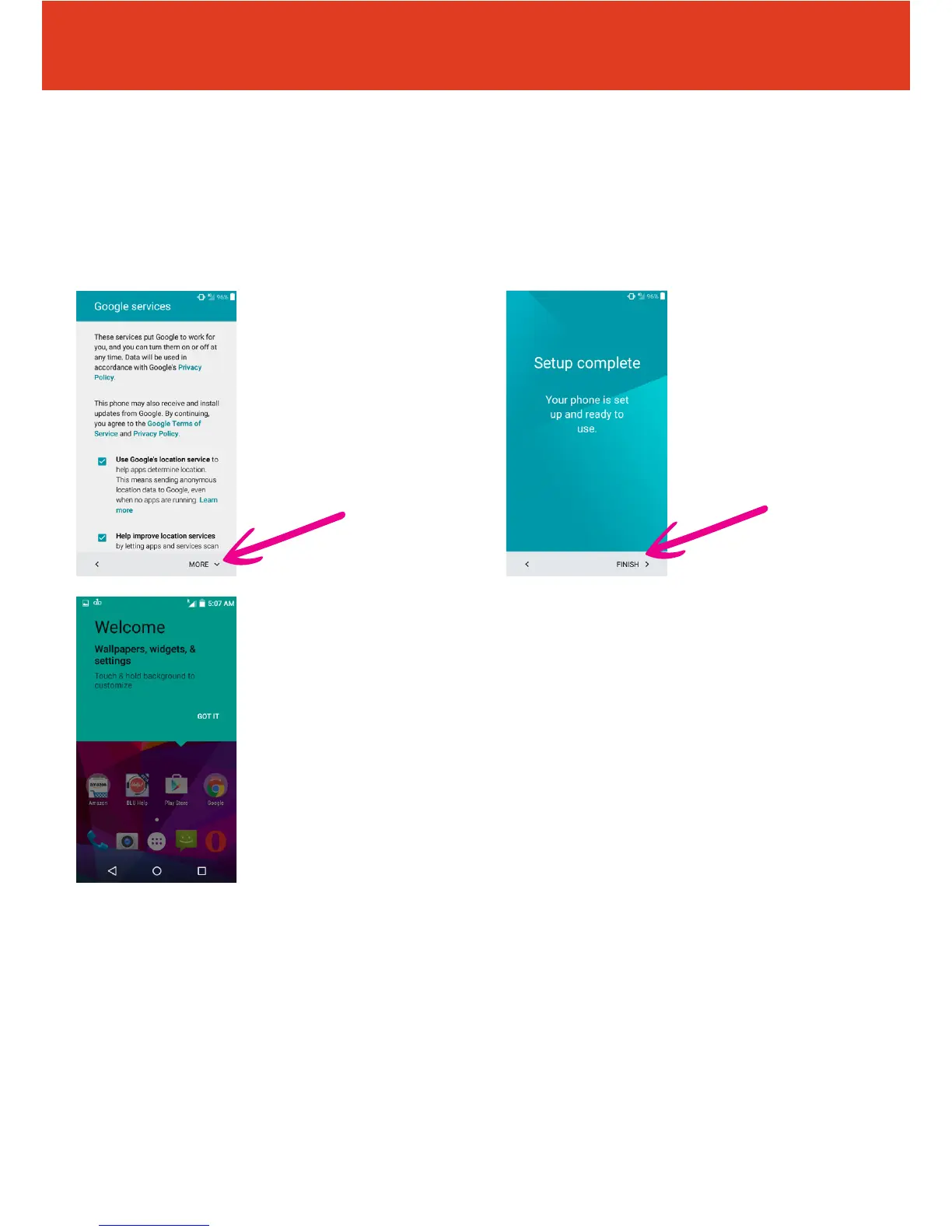
8 Your phone is now set
up and ready to use. Tap
“FINISH” to start using
your phone.
9 Your phone will now
oer a handy tip as to how
you customize wallpapers,
widgets & settings.
QS50Ver08JUL16
7 Read through the
privacy statement,
then tap “MORE”
to scroll to the bottom,
then tap
“Accept and continue”
(or amend privacy settings
rst if desired).



 To Next Page