BLU STUDIO C 5+5 LTE - Quick Start Guide
Adding Contacts To Your Smartphone (1 of 2)
With the device locked and the screen o, follow these steps:
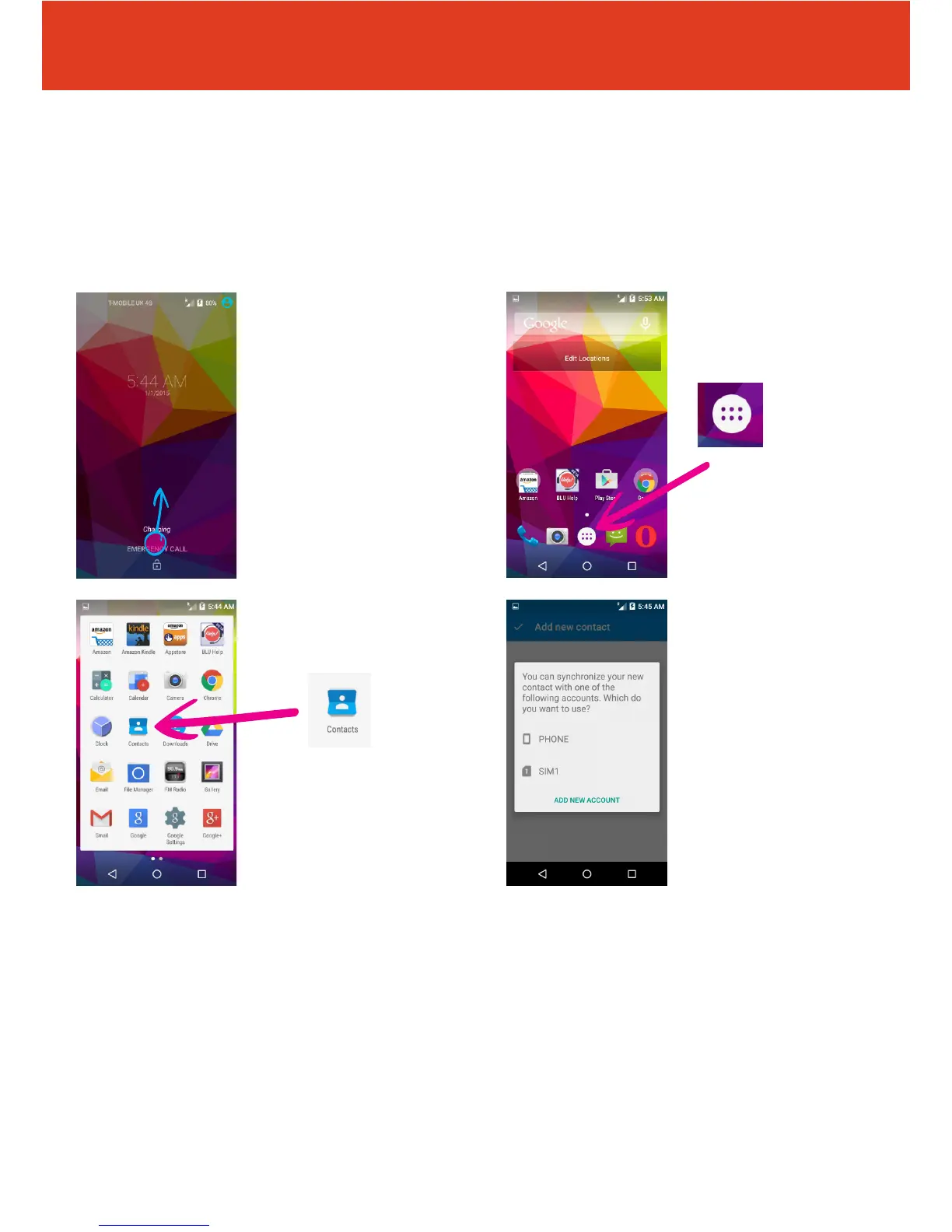
1 Press the power
button on the right hand
side of the handset. The
screen will turn on. Then
to unlock your phone
swipe the screen to the
top.
3 Then tap the
“Contacts” icon.
2 Tap the menu icon in
the bottom of the screen.
QS50Ver08JUL16
4 You will now be asked
whether you wish to
synchronize (or save) your
contact on either your SIM
card or on your phone.



 To Next Page