BLU STUDIO C 5+5 LTE - Quick Start Guide
Adding Contacts To Your Smartphone (2 of 2)
With the device locked and the screen o, follow these steps:
QS50Ver08JUL16
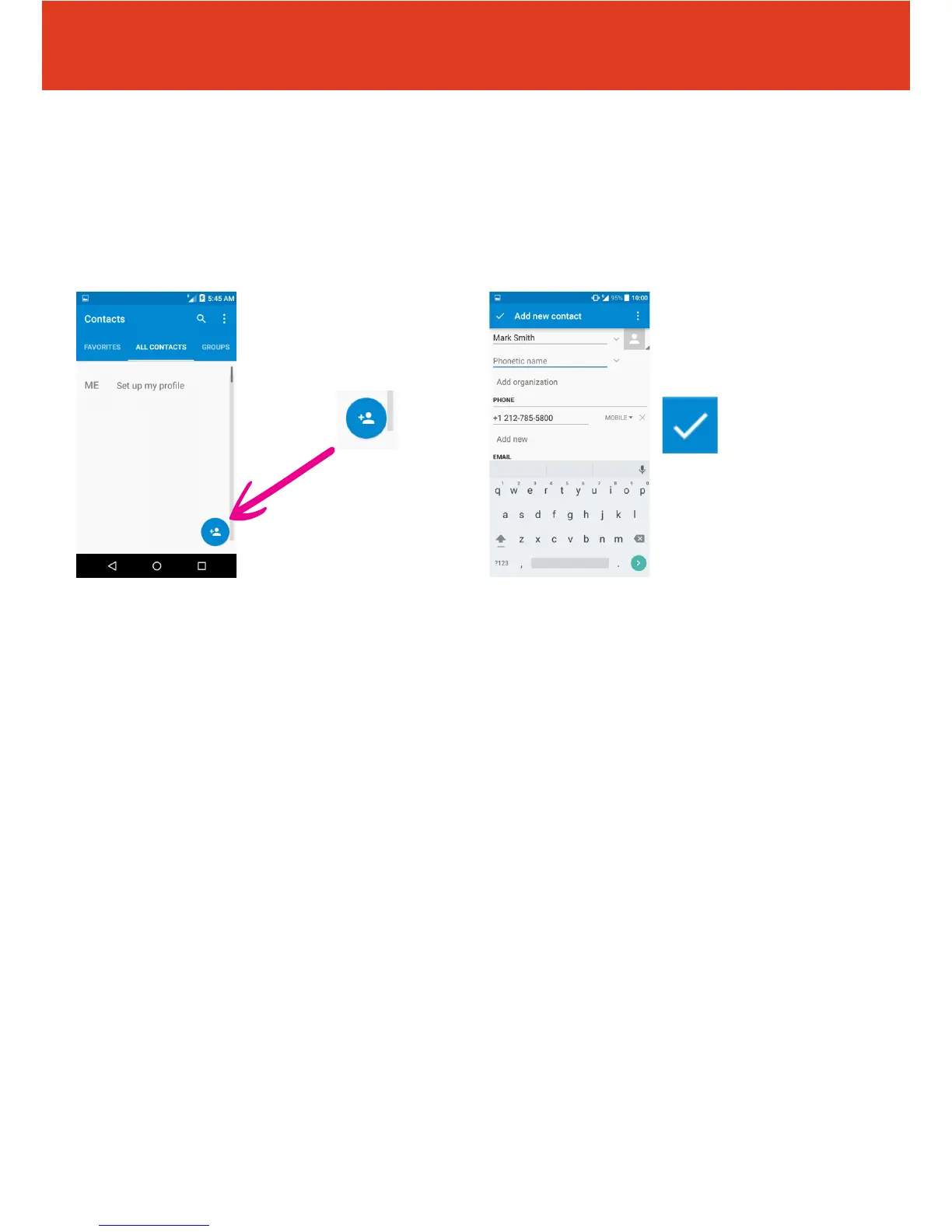
6 Fill in all of the contact
details and when nished
tap the tick in the top left
hand corner of the screen.
Remember to include
the international dialing
code (including “ + “ sign
and country code) to your
contacts before saving.
Press and hold the zero
key to get the “+” symbol.
5 Then tap the add
“contact icon” in the
bottom right hand of the
screen.



 To Next Page