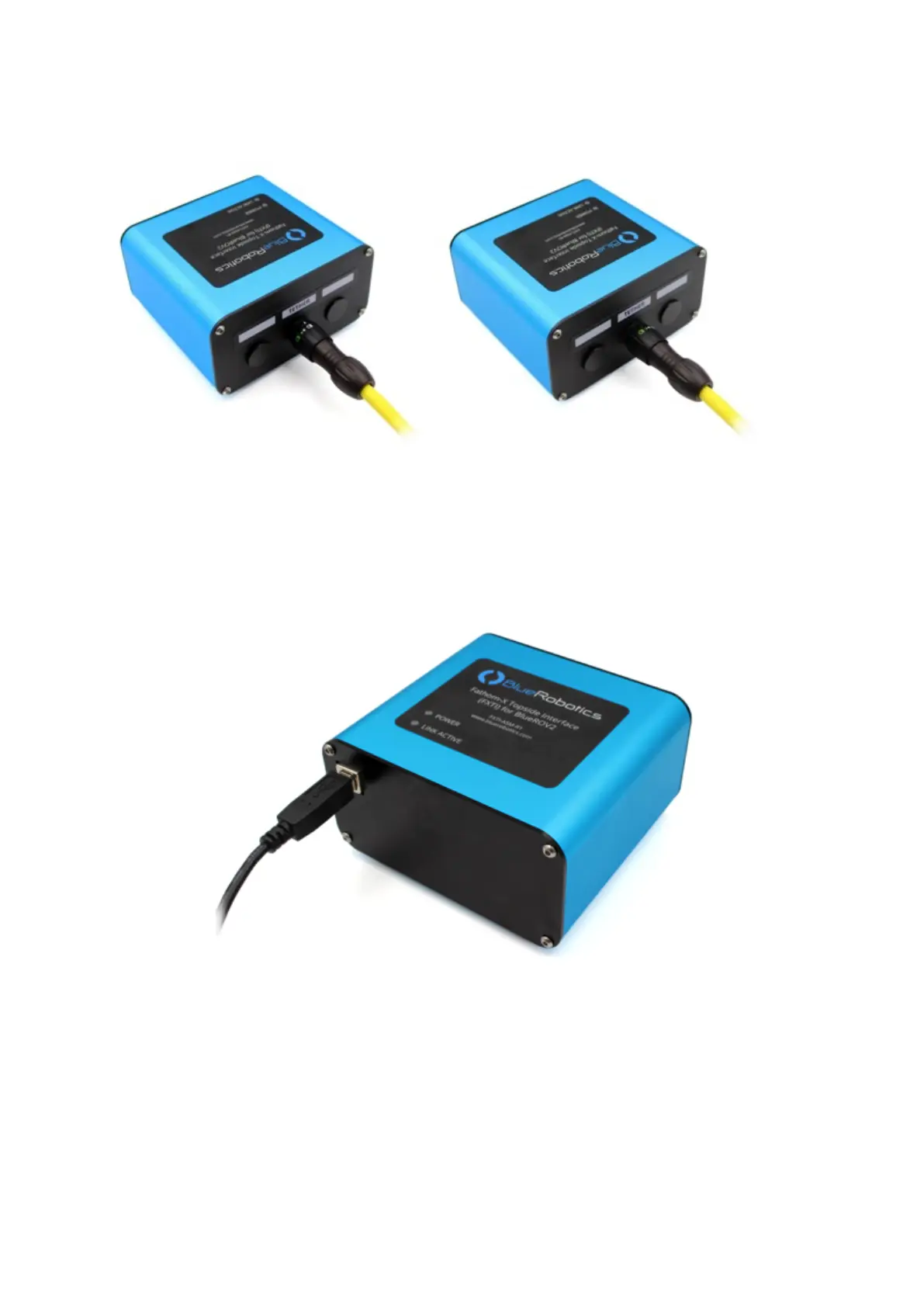
Topside Setup
Attaching the Fathom X Tether Interface
Insert the Binder connector from your Fathom ROV Tether (or Spool extension cable) onto
the connector bulkhead receptacle so the WHITE ARROW on the plug aligns with the
white line.
Rotate the connector head clockwise until the connector locks in place and the GREEN
LOCK symbol is in the 12 o’clock position.
Attaching the USB Cable
Insert the USB Type-B connector end of the included cable into the Type-B receptacle on
the opposite face of the FXTI. Connect the USB Type-A connector into a USB port on your
topside computer. Once connected, the indicator lights on the top of the box should
illuminate showing the “Power” and “Link” status.


 To Next Page