Need help?
Do you have a question about the Blue PURE 121 and is the answer not in the manual?
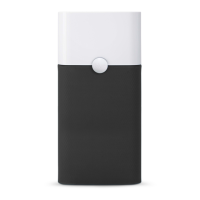
Steps to plug in, turn on, and verify the unit's proper operation through the indicator light.
Explanation of indicator lights for filter replacement: yellow for ordering a new filter, red for changing the main filter.
Steps for changing the main filter, starting with the red indicator, unplugging, and releasing the unit's top.
Continuing filter replacement: lifting the top, removing the old filter, and inserting the new replacement filter.
Final steps for filter change: replacing the top, plugging in, and resetting the unit's indicator light.
Crucial safety advice for using the electrical appliance, including warnings for children and individuals with reduced capabilities.
Safety warnings regarding damaged cords, foreign objects, ventilation obstruction, and servicing procedures.
 General
| CADR (Pollen) | 400 cfm |
|---|---|
| Energy Consumption | 30 - 61 W |
| Fan Speed | 3 speeds |
| Filter Life | 6-12 months |
| Color | White |
| Filter Type | Particle and Carbon Filter |
| Noise Level | 31 - 56 dB(A) |
| Control Type | Touch |

 To Next Page