EasyManua.ls Logo

Blueair 7413352000 - User Manual

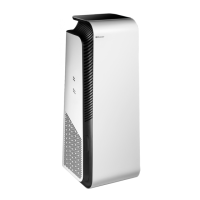
Blueair 7413352000
52 pages
Print Icon
To Next Page IconTo Next Page
Loading...
Blueair HealthProtect™
User Manual
Felhasználói kézikönyv

Questions and Answers

  • C
    Cynthia GibsonJul 25, 2025
    What to do if the filter indicator is blinking on my Blueair 7413352000 Air Cleaner?
    • B
      Brian GarciaJul 26, 2025
      If the filter indicator is blinking, the air purifier has reduced airflow speed, or a filter warning appears on the screen, ensure that a main filter, or an original Blueair filter, is properly inserted in the air purifier. If not, insert it. If you are still experiencing issues, try changing to an original Blueair filter.
  • C
    Christopher MorseAug 1, 2025
    Why are the buttons blinking on my Blueair Air Cleaner?
    • C
      Cassandra RobinsonAug 2, 2025
      If the buttons on the control panel are blinking when pressed, or the display indicates Child lock, it means the Child lock function is activated. To resolve this, turn off Child lock in the Blueair app.
  • G
    Gail LopezAug 9, 2025
    How to fix Blueair 7413352000 that does not work?
    • M
      Melissa JacksonAug 9, 2025
      If your Blueair Air Cleaner isn't working, first, ensure the power cable is securely connected to the power supply. Also, check that the filter door is completely closed.
  • E
    Emily LambertAug 17, 2025
    Why does my Blueair 7413352000 Air Cleaner say no data is available?
    • A
      Alan BrownAug 17, 2025
      If your Blueair Air Cleaner is indicating that no data is available, allow 30 seconds for the sensor values to update. If the issue persists, disconnect the power cable from the wall outlet, wait approximately five seconds, and then reconnect the power cable.

Summary

Blueair HealthProtect Overview

Recommendations for Best Performance

Guidance on optimal placement and usage for the air purifier's effective operation and room coverage.

Safety Instructions

General Safety Precautions

Essential safety guidelines for operating the air purifier, including electrical safety, child usage, and maintenance.

Usage and Environmental Safety

Important warnings regarding product placement, avoiding liquids, chemicals, and ensuring safe cleaning practices.

Getting Started

Initial Setup and Power Connection

Step-by-step instructions for unpacking, installing the filter, and connecting the air purifier to power.

Connecting to the Blueair App

Guide to downloading and linking the air purifier to the Blueair app for remote control and enhanced features.

Control Panel and Indicators

Control Panel Overview and Operation

Explanation of the control panel layout, buttons, and indicators for air quality, filter status, and modes.

Operating the Air Purifier

On;Off, Auto Mode, and Airflow Speed

Instructions for powering the unit on/off, using auto mode, and adjusting fan speed settings.

GermShield Functionality

Explanation of how to activate and deactivate the GermShield™ feature and its operational indicators.

Wi-Fi Connectivity

Wi-Fi Control and Status Indicators

Details on using the Wi-Fi button to manage connectivity and understanding the various status lights for network connection.

Filter Indicator Status

Filter Indicator Status and Warnings

How to interpret filter replacement indicators, recognize warnings, and understand filter status messages for different models.

Air Quality Monitoring

Understanding Air Quality Data and Levels

Explanation of PM (particulate matter) and VOC (gas) measurements, indicators, and the color-coded air quality scale.

Advanced Data Display and Navigation

Information on viewing specific particulate matter (PM) values and navigating data categories on the 70-models.

Temperature and Humidity Readings

How to read and interpret the room temperature and relative humidity data displayed by the air purifier.

Gas Data and Filter Lifetime Monitoring

Explanation of how gas (tVOC) data is displayed and how the filter lifetime indicator counts down.

Filter Maintenance

Pre-filter Cleaning Procedure

Instructions on how to clean the pre-filters to maintain optimal air purification performance.

Filter Subscription Program

Information on signing up for the Blueair filter subscription service for convenient filter replacement.

Main Filter Replacement

Main Filter Replacement Procedure

Step-by-step guide for safely removing the old main filter and installing a new one.

Unit Handling and Care

Moving the Air Purifier

Safety guidelines and methods for safely moving the air purifier, utilizing its wheels and handle.

Cable Winder Usage

Instructions on using the built-in cable winder to store excess power cord length neatly.

General Care and Cleaning

Comprehensive guide to cleaning the exterior, interior, air inlets, and sensors for optimal maintenance.

Troubleshooting and Support

Troubleshooting Common Issues

A troubleshooting guide to diagnose and resolve common operational problems with the air purifier.

Disposal, Recycling, and Support Resources

Information on proper product disposal, recycling, and accessing customer support and warranty information.

Specifications

Technical Specifications

Detailed technical specifications for the 7400 and 7700 series, including voltage, power consumption, and CADR ratings.

Blueair 7413352000 Specifications

General IconGeneral
Product TypeAir Cleaner
BrandBlueair
Model7413352000
CategoryAir Cleaner
Filter TechnologyHEPASilent
Room SizeLarge
Noise Level32-56 dB

Related product manuals