This document is a user manual for the Blueair Blue Pure 311i+Max air purifier. It provides essential information regarding safety, regulatory compliance, product features, usage instructions, maintenance procedures, and troubleshooting tips.
Function Description
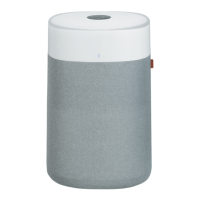
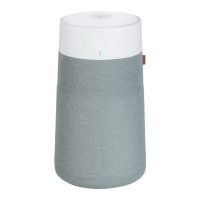
The Blue Pure 311i+Max is an electrical appliance designed for indoor air purification. It uses a particle sensor to measure fine particulate matter (PM2.5) levels and adjusts its fan speed automatically to maintain optimal air quality. The device is equipped with a multi-stage filtration system, including a washable fabric pre-filter and a particle & carbon filter, to remove various airborne pollutants. It can be controlled manually via its user interface or remotely through the Blueair app, which also allows for monitoring filter usage.
Important Technical Specifications
- Product Name: Blue Pure 311i+Max
- Model Number: 3432111100
- Air Quality Sensor: Particle sensor for PM2.5 levels.
- Air Quality Indicator (AQI): LED display showing air quality status in 5 colors (blue for excellent to red for very polluted).
- Fan Speeds: Four settings: Night mode (lowest/most silent), Speed 1, Speed 2, Speed 3 (highest).
- Connectivity: Wi-Fi (2.4 GHz only) and Bluetooth for app pairing and remote control.
- Power: Electrical appliance for indoor use only.
- RF Exposure: Equipment should be installed and operated with a minimum distance of 20 centimeters between the radiator and your body.
Usage Features
- Two-Button Control:
- ON/Standby button: Turns the air purifier on/off.
- Fan Speed button: Adjusts mode and fan speed.
- Operating Modes:
- Auto mode: Automatically adjusts fan speed based on indoor PM2.5 levels for optimal air quality (recommended setting).
- Night mode: Lowest fan speed with fully dimmed lights for quiet operation.
- Manual Fan Speeds (1-3): Allows users to manually set fan speed via the interface or Blueair app.
- Brightness Control: Pressing the Fan Speed and ON/Standby buttons simultaneously for three seconds allows adjustment of the interface light brightness.
- Child Lock: Long pressing the ON/Standby button for about 5 seconds locks the speed/mode button, preventing accidental changes while the unit continues to operate.
- Wi-Fi/Bluetooth Enable/Disable: Long pressing the Fan Speed button for about 5 seconds enables or disables Wi-Fi/Bluetooth. The Wi-Fi LED blinks during connection and stays solid once connected to the app.
- Blueair App Integration:
- Remote Control: Control the air purifier from anywhere.
- Filter Usage Monitoring: Track filter lifespan.
- Setup: Download the app, create an account, click "Connect Product," select "Blue," and follow pairing instructions.
- Connection Tips: Ensure the air purifier is on and Wi-Fi indicator is blinking. Bluetooth is required for initial pairing (phone within 3ft). Maintain optimal connection by keeping the air purifier within 15 feet of the Wi-Fi router. Use a visible 2.4 GHz Wi-Fi network; deactivate VPN.
- Factory Reset: Long pressing the ON/Standby button for about 30 seconds resets the air purifier to default configuration and puts it in Standby mode.
Maintenance Features
- Filter Change Indicator: A red circle on the air purifier's panel indicates it's time to change the main filter (typically every 6-9 months).
- Filter Replacement Procedure:
- Turn off and unplug the air purifier.
- Rotate the top counter-clockwise to unlock and remove.
- Remove the fabric pre-filter and silencer.
- Pull out the old filter using its handles (ensure plastic wrapping is removed from the new filter).
- Insert the new filter.
- Place the silencer back on top of the filter.
- Pull the fabric pre-filter over the filter and silencer (ensure the leather tag is on the upper side of the pre-filter).
- Twist the top back on and plug in the air purifier.
- Reset the filter indicator by pressing the Fan Speed button for 15 seconds until the red light disappears.
- Washable Pre-filter Cleaning:
- Regular Cleaning: Vacuum the exterior with a soft brush attachment.
- Deeper Clean: Wash according to instructions on the pre-filter's label. Hang to dry.
- Procedure:
- Turn off and unplug the air purifier.
- Rotate the top counter-clockwise to unlock and remove.
- Remove the fabric pre-filter from the silencer and main filter.
- Wash the fabric pre-filter.
- Pull the clean pre-filter back over the silencer and main filter (ensure the leather tab is on the upper part).
- Push the top cylinder down and rotate clockwise to lock it.
- Troubleshooting: The manual provides solutions for common issues such as a red filter indicator, excessive noise, connection problems (Wi-Fi, Bluetooth, app), and poor indoor air quality.
- Disposal and Recycling: The air purifier should be recycled as electronic waste. Users are advised to contact local waste management for proper disposal.

 Need help?
 General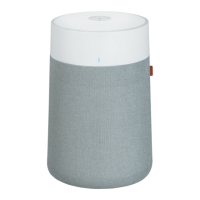




 To Next Page