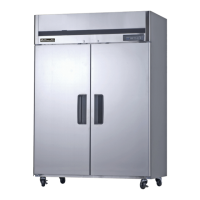
Need help?
Do you have a question about the Blueair BSR23 and is the answer not in the manual?
Location and importance of the unit's serial number for service and identification purposes.
Ensuring proper airflow around the unit for optimal cooling performance.
Positioning the unit on a stable floor capable of supporting its weight.
Avoiding placement near heat sources to maintain cooling efficiency.
Confirming the equipment is intended solely for indoor environments.
Securing the unit in a stable condition by locking the front wheels.
Ensuring the unit is properly leveled from front-to-back and side-to-side.
Connecting the unit to a dedicated circuit with adequate capacity and no extension cords.
Installing the plastic condensate pan in the unit's bottom and ensuring proper drain hose placement.
Positioning the unit to ensure good air circulation around it for best cooling performance.
Cleaning the unit's inside and outside surfaces with warm water and mild soap.
Regularly cleaning the door gasket to maintain proper sealing.
Contacting qualified service technicians for evaporator cleaning.
Verifying the unit's safety and proper operation after cleaning.
Understanding the alarm function for periodic condenser cleaning every six months.
Ensuring correct voltage and proper connection of the power cord to avoid warranty voidance.
Waiting 5 minutes before re-starting the unit after it has been disconnected.
Details on operating the refrigerator models, including default settings and controls.
Explanation of the digital control panel, including temperature display and buttons.
Understanding the door opening indicator and its alarm function for open doors.
Instructions for operating the freezer models, including temperature settings and cycles.
Using the up/down buttons to set and control the cabinet temperature.
Details on the automatic defrost cycle, its timing, and display indicators.
Understanding the door opening indicator and its alarm function for open freezer doors.
Instructions for disassembling shelves from the unit, noting model-specific quantities.
Procedure for pushing the rear shelf up or down for disassembly or reassembly.
Details on one, two, and three-year parts and labor warranties for different product series.
Information on purchasing an additional one-year extended warranty for parts and labor.
Coverage details for the five-year warranty on hermetically sealed compressors.
Steps and required documentation for submitting warranty claims.
Exclusions and conditions not covered by the warranty, including product loss and misuse.
Conditions and exclusions that are not covered by the product warranty.
 General
| Brand | Blueair |
|---|---|
| Model | BSR23 |
| Category | Refrigerator |
| Language | English |

 To Next Page