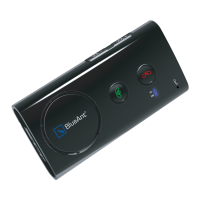
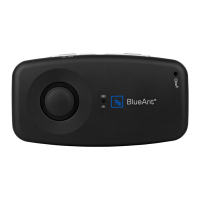
3
General
1. What is the main difference between the Supertooth II and the Supertooth Light?
The Supertooth Light is a smaller unit and has less talk time than the Supertooth II.
2. What is included in the Supertooth Light package?
Included in the box is the Supertooth Light main unit, a user guide, an AC wall charger, a
Car Charger and a magnetic sun visor clip.
3. How does the Supertooth Light use Bluetooth technology?
Bluetooth is used to send and receive voice signals over radio waves between your cell
phone and the Supertooth Light. It allows the Supertooth Light to control phone calls on
your cell phone remotely.
4. How do I handle voice calls when the Supertooth Light is connected?
To answer an incoming call, simply press the Accept button once.
To
reject an incoming call, simply press the red End/Reject button.
To
redial the last number, press and hold the Accept button for 3 seconds.
To
terminate an ongoing/active call press the End/Reject button once.
5. Can I transfer an active call back to my phone to continue it there?
Yes. Simply turn the unit off by pushing the microphone shaft into the main unit.
6. How many devices can I pair to the Supertooth Light?
The Supertooth Light can store pairing information for up to 5 different devices. However,
the Supertooth Light can only
connect to one phone at a time.


 To Next Page