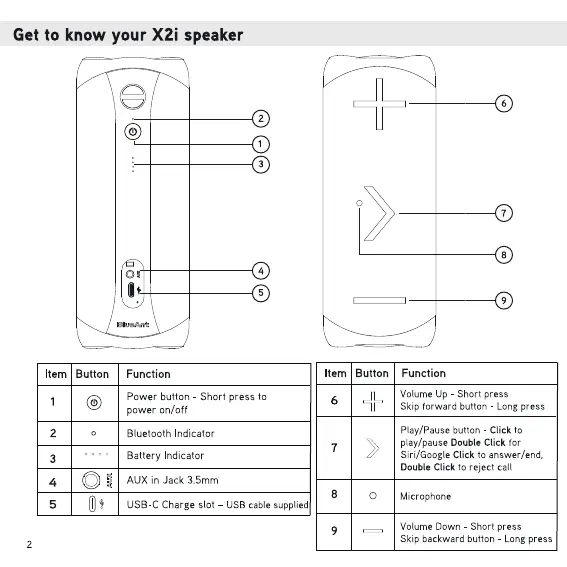
Get to know your X2i speaker
4
Item Button
2
3
4
5
Function
Power button - Short press to
Item Button
power on/off
Bluetooth Indicator
Battery Indicator
AUX in Jack 3.5mm
USB-C Charge slot -
6
7
8
O
USB cable supplied
9
6
7
Function
Volume up - Short press
Skip forward button - Long press
Play/Pause button - Click to
play/pause Double Click for
Siri/Google Click to answer/end,
Double Click to reject call
Microphone
Volume Down Short press
Skip backward button - Long press



 To Next Page