F) Duo Mode
Dual speaker wireless stereo pairing for wide stereo sound stage.
The X2i and Xli can be paired to each Other in Duo Mode
l. Press the power button on the first speaker to turn the speaker "On"
2.
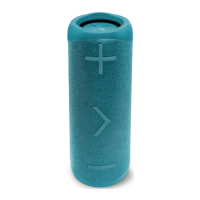
Press and hold the Volume + and Volume - buttons on the first speaker until the speaker says "Duo
Mode pairing" then release the buttons.
3.
Press the power button on the second speaker to turn the speaker "On"
4. Press and hold the Volume + and Volume - buttons on the second speaker until the speaker says "Duo
Mode pairing" then release the buttons.
5.
Please wait until one speaker says "Duo Mode connected". This may take up to 1 minute. The speakers
are now connected to each other.
6. The speaker that says "Duo Mode connected" is the master speaker and this is the speaker that you
should pair with your phone.
For Bluetooth pairing, search for "BlueAnt X2i" on your smartphone. f you receive a phone call while in
Duo Mode, the call will only come through the master speaker.
When in Duo Mode and you power Off one speaker, both speakers will power Off. When you power on the
speakers, they need to be turned on individually. When both speakers are powered on, Duo Mode will
automatically reconnect and you will hear "Duo Mode connected"
To disconnect Duo Mode, press and hold Volume + and Volume - until you hear "Duo Mode disconnected"
TO clear Duo Mode pairing, press and hold Volume + and Volume - until the speaker says "Duo Mode
cleared". This takes about 8 seconds. Assuming direct line of sight, you should achieve be able to
achieve a range of over 40 metres between the two speakers. When used indoors the range will be
affected by internal walls or obstacles between the speakers.
4


 To Next Page
 Loading...