Press the MF Button once. Or use your mobile phone to achieve it.
End a call
Press the MF Button once. Or use your mobile phone to achieve It
Reject a call
Press the MF Button once. Or use your mobile phone to achieve it. End a call Press the MF Button
once. Or use your mobile phone to achieve it.
Play/Pause a track(Bluetooth mode):
Press the MF button once to pause the music. Press the MF button again to replay the music.
Music selection/Volume adjustment:
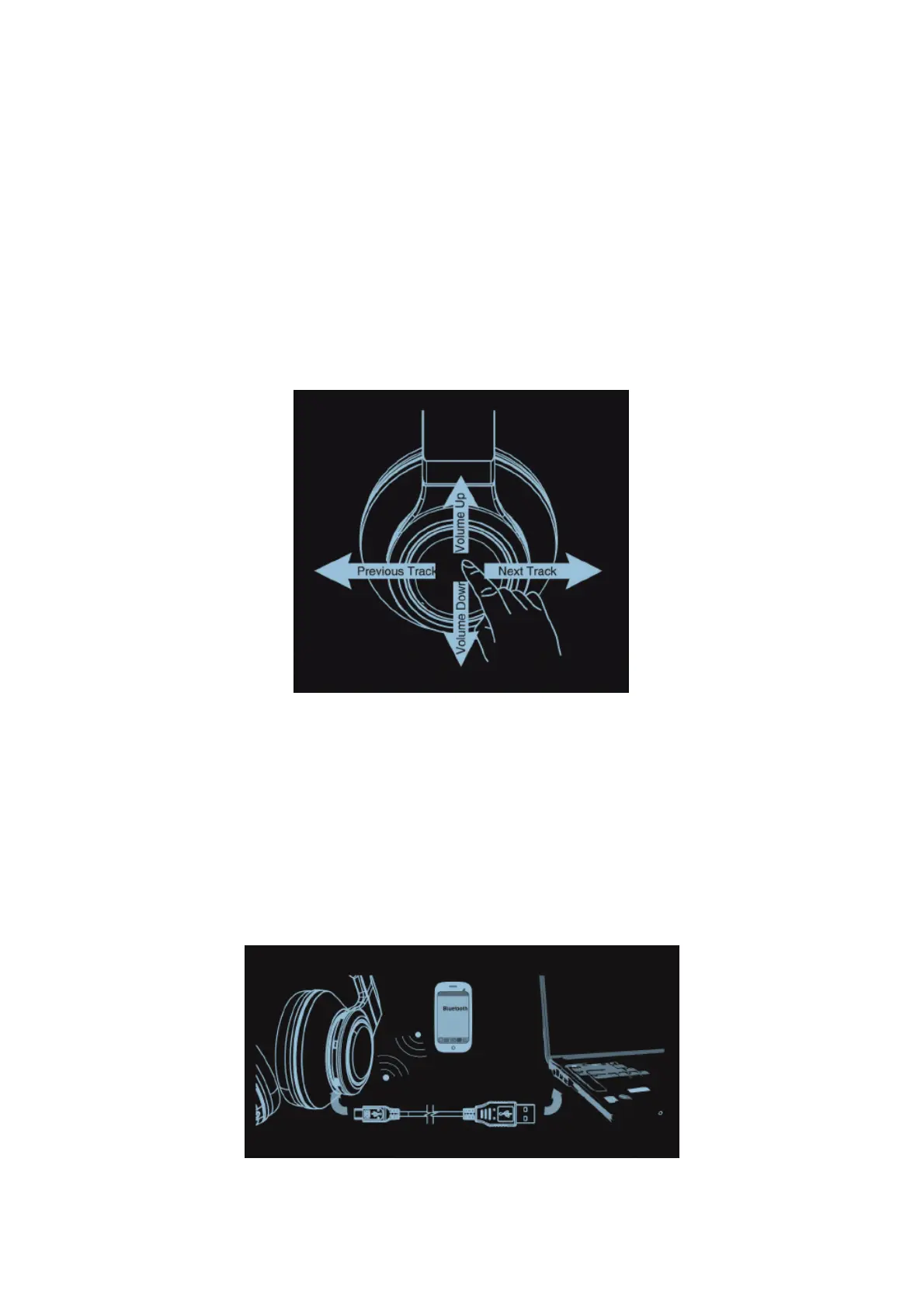
Next track: Slide touch panel towards right.
Previous track: Slide touch panel towards left.
Volume up: Slide touch panel upwards.
Volume down: Slide touch panel downwards.
LINE_IN music and call
Simply connect the headphone with your mobile phone by 3.5mm audio cable.
USB music playing
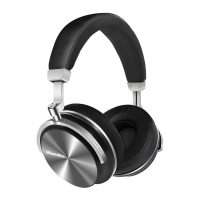
1. Make sure your headphone has switched off.
2. Connect the headphone with your computer by USB cable.
3. The computer will install a virtual sound card. You can hear audio from computer (computer
output channel set as USA Audio Device)
4. Switch on your headphone, pair it with your phone.(Optional)
5. You may answer a call via Bluetooth. (Optional)
S/PDIF digital audio(Optical):
1.Connect digital audio cable with headphone and sound source output device.
2.Activate the headphone may hear audio signal via digital mid. cable.



 To Next Page