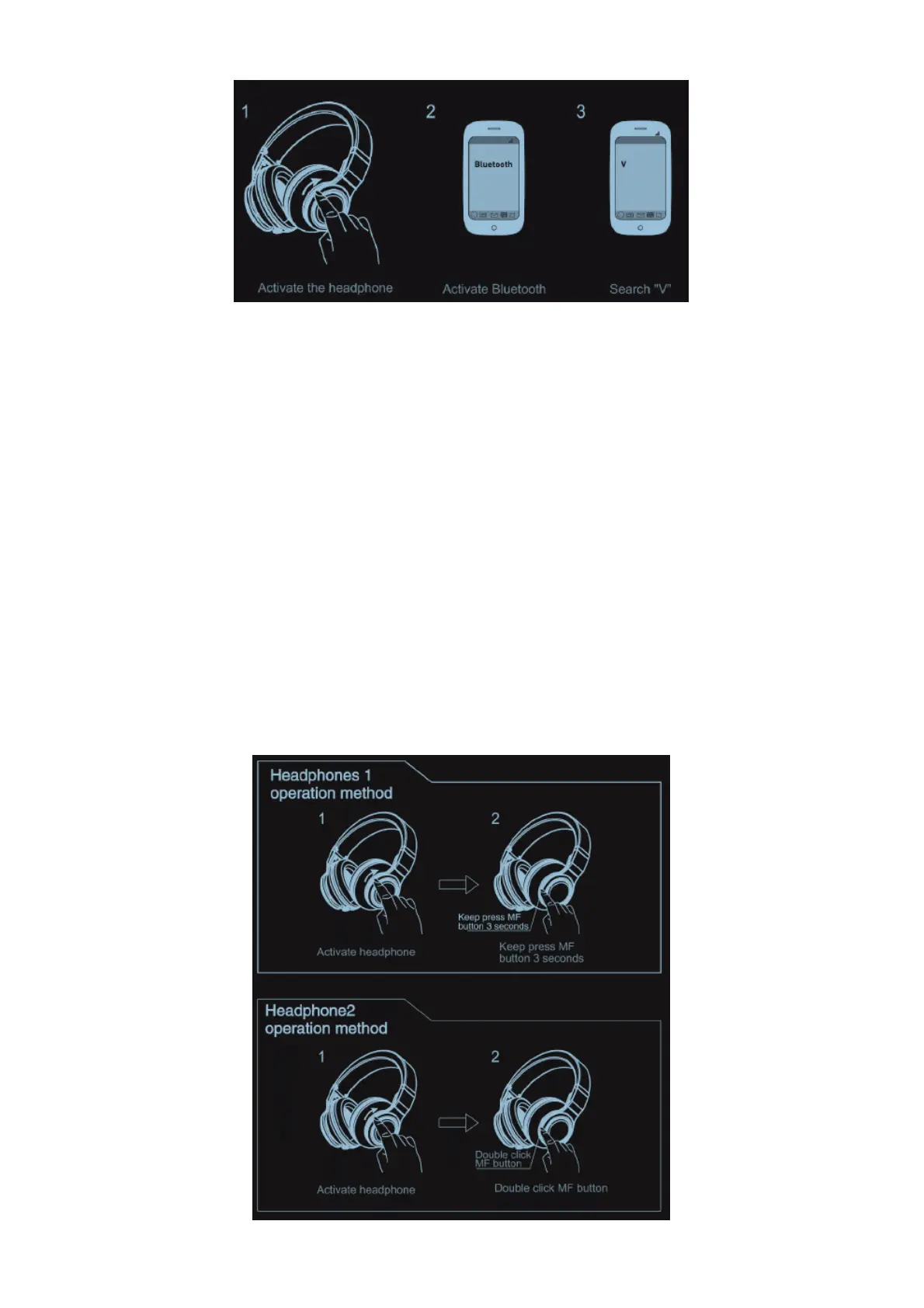
5. The headphone and mobile phone paired successfully.
Pairing with two mobile phones:
1. Keep distance of the headphone and mobile phonel within 1 meter. The closer, the better.
2. Activate the headphone and ensure it enters into pairing mode, red and blue lights blinks
alternately. Turn on Bluetooth of phone 1(Android: Scan for devices), search “V’, pair and connect
the headphone.
3. Turn off Bluetooth of phone 1, and switch off the headphone.
4. Activate Bluetooth of phone 2 and ensure it enters into the pairing mode. search “V”, pair and
connect the headphone.
5. Turn on Bluetooth of phone 1, and connect the paired headphone.
Share Me (Audio sharing)
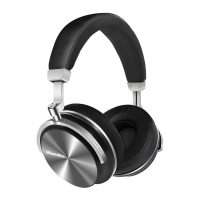
1. Keep distance of headphone) and headphone 2 within 10 mete, The closer, the better.
2. Activate headphone 1 and headphone 2, ensure both headphone enters into pairing mode.
3. Keep press MF button of headphone 1 for around 3 seconds, release until hear the beep sound,
headphone 1 can be search by other headphone.
4. Double click MF button of headphone 2, hear the beep sound, headphone 2 can be search by
other headphone.
5. Both headphones will be connected to achieve audio sharing. ‘Both headphones must be V
headphone.
Answer a call



 To Next Page