Need help?
Do you have a question about the BlueHive 011-1915-2 and is the answer not in the manual?
Explains the meaning of Danger, Warning, Caution, and Important symbols used in the manual.
Provides key warnings and cautions for safe operation and usage of the power inverter.
Lists specific equipment that should not be used with the power inverter to prevent damage.
Explains how to calculate total wattage and avoid overloading the inverter.
Provides estimated wattage requirements for common electronic devices.
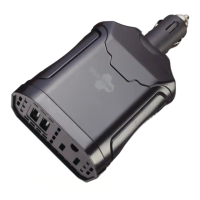
Details how to properly connect the power inverter to a vehicle's 12V outlet.
Instructions on how to safely turn the power inverter on and off.
Guidance on using the device's USB port for charging or powering devices.
Describes built-in safety mechanisms like low-voltage shutdown and overload protection.
Instructions for cleaning the exterior and storing the power inverter safely.
Advice on managing vehicle battery health when using the power inverter.
Step-by-step guide for replacing the device's fuse safely.
Details potential causes and solutions for low-voltage, high-voltage, overload, and overheat shutdowns.
Troubleshooting steps for when the connected device does not power on.
Addresses problems related to measured power output being too low.
Solutions for buzz or noise interference in audio systems.
Guidance on resolving interference issues with television signals.
 General
| Input Voltage | 12V DC |
|---|---|
| Output Voltage | 120V AC |
| Output Waveform | Modified Sine Wave |
| Cooling | Fan |
| Protection Features | Overload, Short Circuit, Low Voltage |

 To Next Page