EasyManua.ls Logo

BlueHive 035-5500-4 - User Manual

BlueHive 035-5500-4
6 pages
Print Icon
To Next Page IconTo Next Page
Loading...
20,000 mAh/74 Wh
Power Bank
User manual
Model no. 035-5500-4
SAFETY INFORMATION
WARNING!
• Make sure your connected device is firmly and securely fastened.
• Follow all applicable local laws and regulations concerning the use of a mobile
device.
• The USB port is not designed for transferring data. Do not connect external data
storage products or any data transfer cables to the USB port.
• DANGER! Never let children play with packaging materials and this product.
This product is not a toy! Store the product and any accessories out of the
reach of children.
Read this manual carefully before using the product. Follow all safety instructions
to avoid damage caused by improper use. Should this product be transferred to a
third person, this manual must be included.
IMPORTANT, RETAIN FOR FUTURE REFERENCE AND READ CAREFULLY!
TM/MC
Don't attempt to disassemble the unit or replace the battery.
Do not throw device into fire.
Keep device dry at all time.
Avoid excessive drops, abrasion and punctures.
Question and Answer IconNeed help?

Do you have a question about the BlueHive 035-5500-4 and is the answer not in the manual?

Summary

Safety Information

General Safety Precautions

Crucial safety instructions for device connection, legal compliance, data transfer restrictions, and child safety.

Operational and Handling Safety

Guidelines on device maintenance, fire safety, moisture avoidance, and protection against physical damage.

Specifications

Package Contents

Charging

Operation

Charging Electronic Devices via USB

Instructions on how to charge devices using the USB output ports, including quick charge recommendations.

Charging Electronic Devices via Type-C

Procedure for charging electronic devices using the Type-C output port of the power bank.

Overview

This document describes the Blue Hive 20,000 mAh/74 Wh Power Bank, Model no. 035-5500-4. It serves as a user manual, providing safety information, specifications, package contents, and operational instructions for charging the power bank and using it to charge electronic devices.

Function Description:

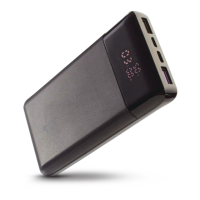
The Blue Hive Power Bank is a portable charging device designed to provide power to various electronic devices. It features a high-capacity battery and multiple output ports, including USB and Type-C, to accommodate different charging needs. The power bank supports fast charging and Power Delivery (PD) capabilities, indicated by its 18W Power Delivery and fast charge features. It also includes a battery indicator display to show the remaining battery capacity, output voltage, and current.

Important Technical Specifications:

  • Model Number: 035-5500-4
  • Battery Capacity: 20,000 mAh / 74 Wh Lithium Battery
  • Micro USB Input: 5 V/3 A – 9 V/2 A
  • TYPE-C Power Delivery Input: 5 V/3 A, 9 V/2 A, 12 V/1.5 A
  • TYPE-C Power Delivery Output: 5 V/3 A, 9 V/2 A, 12 V/1.5 A
  • USB Output 1: 5 V/3 A
  • QC 3.0 USB Output 2: 5 V/3 A, 9 V/2 A, 12 V/1.5 A (18 W)
  • Package Contents:
    • 1 x 20,000 mAh 18 W Power Delivery and fast charge Power Bank with Battery Indicator
    • 1 x Type C/Micro USB charging cable
    • 1 x User's manual

Usage Features:

  • Charging the Power Bank: The power bank can be charged using either a Micro USB or Type-C input. To shorten charging time, it is recommended to use a quick charger AC adaptor with an output of no less than 5 V, 2 A. The included Type C/Micro USB charging cable can be connected to an AC adaptor (not included).
  • Charging Electronic Devices:
    • From USB Output: Press the On/Off switch to activate the power bank. The display will show the battery capacity. Connect electronic devices to either USB Output 1 or QC 3.0 USB Output 2 using their respective charging cables (not included). For quick charge 3.0 enabled devices, it is important to use the QC 3.0 USB Output 2.
    • From Type-C Output: Activate the power bank by pressing the On/Off switch. Connect electronic devices to the Type-C output port using a compatible charging cable (not included).
  • Battery Indicator Display: The power bank features a display that shows the battery capacity, output voltage, and current, allowing users to monitor the charging status and remaining power.
  • On/Off Switch: A dedicated On/Off switch is provided to activate the power bank and initiate charging.
  • Multiple Output Ports: The device includes USB Output 1, QC 3.0 USB Output 2, and a Type-C input/output port, offering versatility for charging various devices simultaneously or individually.

Maintenance Features and Safety Information:

  • General Safety:
    • Read the manual carefully before use and follow all safety instructions to prevent damage.
    • Ensure connected devices are firmly and securely fastened.
    • Adhere to all applicable local laws and regulations regarding mobile device use.
    • The USB port is not designed for data transfer; do not connect external data storage products or data transfer cables.
    • Keep packaging materials and the product out of reach of children; this product is not a toy.
  • Device Care:
    • Do not attempt to disassemble the unit or replace the battery.
    • Do not dispose of the device in fire.
    • Keep the device dry at all times.
    • Avoid excessive drops, abrasion, and punctures.
  • Recycling and Disposal: The product must be recycled or disposed of properly according to the requirements of the local municipality.
  • Initial Charge: If low battery is shown on the display, charge the power bank first before using it to charge other devices.

The power bank is manufactured in China and imported by Trileaf Distribution Toronto, Canada M4S 2B8.

BlueHive 035-5500-4 Specifications

General IconGeneral
BrandBlueHive
Model035-5500-4
CategoryAccessories
LanguageEnglish

Related product manuals