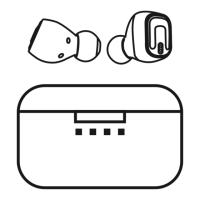
Need help?
Do you have a question about the BlueHive 035-7308-6 and is the answer not in the manual?
Details the LED light patterns for various earbud statuses like charging, pairing, and battery levels.
Lists the audio prompts and tones for earbud functions such as power, pairing, and battery status.
Press and hold the power button for 5 seconds until LED indicators flash red and blue.
Navigate Bluetooth settings on your device and select '035-7308-6' for connection.
Instructions for connecting the earbuds to a second Bluetooth device simultaneously.
Detailed guide on using buttons for volume, track control, calls, and playback.
 Battery
| battery capacity | 80 mAh |
|---|---|
| charging time | 2 hours |
| working time | 7 hours |
| standby time | 250 hours |
 Operating Environment
| working temperature | -5°C to 35°C |
|---|---|
| storage temperature | -5°C to 60°C |
| effective range | Up to 10 m |

 To Next Page