EasyManua.ls Logo

BlueHive 035-7329-6 - User Manual

BlueHive 035-7329-6
7 pages
Print Icon
To Next Page IconTo Next Page
Loading...
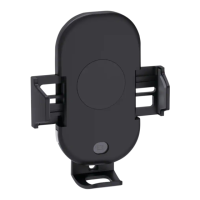
15 W 3-in-1
Wireless Charging Mount
User manual
This wireless charging mount that allows you enjoy fast wireless charging
easily. Please read the user manual before using and keep it for future
reference.
Model No. 035-7329-6
1
2
3
4
5
6
7
8
9
1. Wireless charging area
2. Infrared sensor
3. Adjustable bottom stand fits various sizes of phones
4. Switch for unlocking
5. Wireless charging indicator
6. Extendable arm
7. Power button
8. Power indicator
9. Type-C input
Question and Answer IconNeed help?

Do you have a question about the BlueHive 035-7329-6 and is the answer not in the manual?

Summary

Product Specifications

Installation Instructions

Air Vent Mounting

Instructions for attaching the mount to an air vent, including snapping and adjusting the ball socket.

Windshield;Dashboard Mounting

Instructions for mounting the device on a windshield or dashboard using a suction cup and lever.

Connecting to Power Supply

Adjusting the Bottom Stand

Wireless Charging Function

Warnings and Precautions

BlueHive 035-7329-6 Specifications

General IconGeneral
BrandBlueHive
Model035-7329-6
CategoryBattery Charger
LanguageEnglish

Related product manuals