EasyManua.ls Logo

BlueHive 035-7328-8 - User Manual

BlueHive 035-7328-8
3 pages
Print Icon
To Next Page IconTo Next Page
Loading...
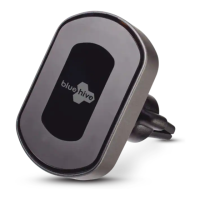
10 W Magnetic Wireless
Charging Vent Mount
User manual
This charger mount allows you enjoy fast wireless charging easily. Please
read the user manual before using and keep it for future reference.
Specifications:
Input: DC 5 V 2 A, DC 9 V 1.69 A
Output: 10 W/7.5 W/5 W
Frequency: 110–205 kHz
Charge efficiency: 85%
Charging distance: 8 mm
Model No. 035-7328-8
Installation instructions:
a: Vent mounting
1. Loosen the socket on the back of the mount. Firmly snap in the ball and
tighten the socket.
2. Snap the clamp onto the air vent and adjust to your preferred viewing angle.
Question and Answer IconNeed help?

Do you have a question about the BlueHive 035-7328-8 and is the answer not in the manual?

Summary

Product Specifications

Technical Details

Details include input/output voltages, power ratings, operating frequency, charge efficiency, and maximum charging distance.

Installation Guide

Vent Mounting

Instructions on how to loosen the socket, attach the ball, tighten it, and snap the clamp onto an air vent.

Dashboard Mounting

Steps for cleaning the dashboard, attaching the mount ball, and affixing the stand to the surface.

Wireless Charging Operation

Phone Preparation and Attachment

Guide on cleaning and applying the metal arch sticker and arch onto the phone or case.

Connection and Charging

Instructions for connecting the charger, attaching the phone to the mount, and indicator lights.

Safety Warnings and Precautions

Important Safety Guidelines

Covers warnings on handling, disassembly, operating environments, heat, and proximity to medical devices.

BlueHive 035-7328-8 Specifications

General IconGeneral
BrandBlueHive
Model035-7328-8
CategoryBattery Charger
LanguageEnglish

Related product manuals