12:45
Bluetooth
DoneSettings
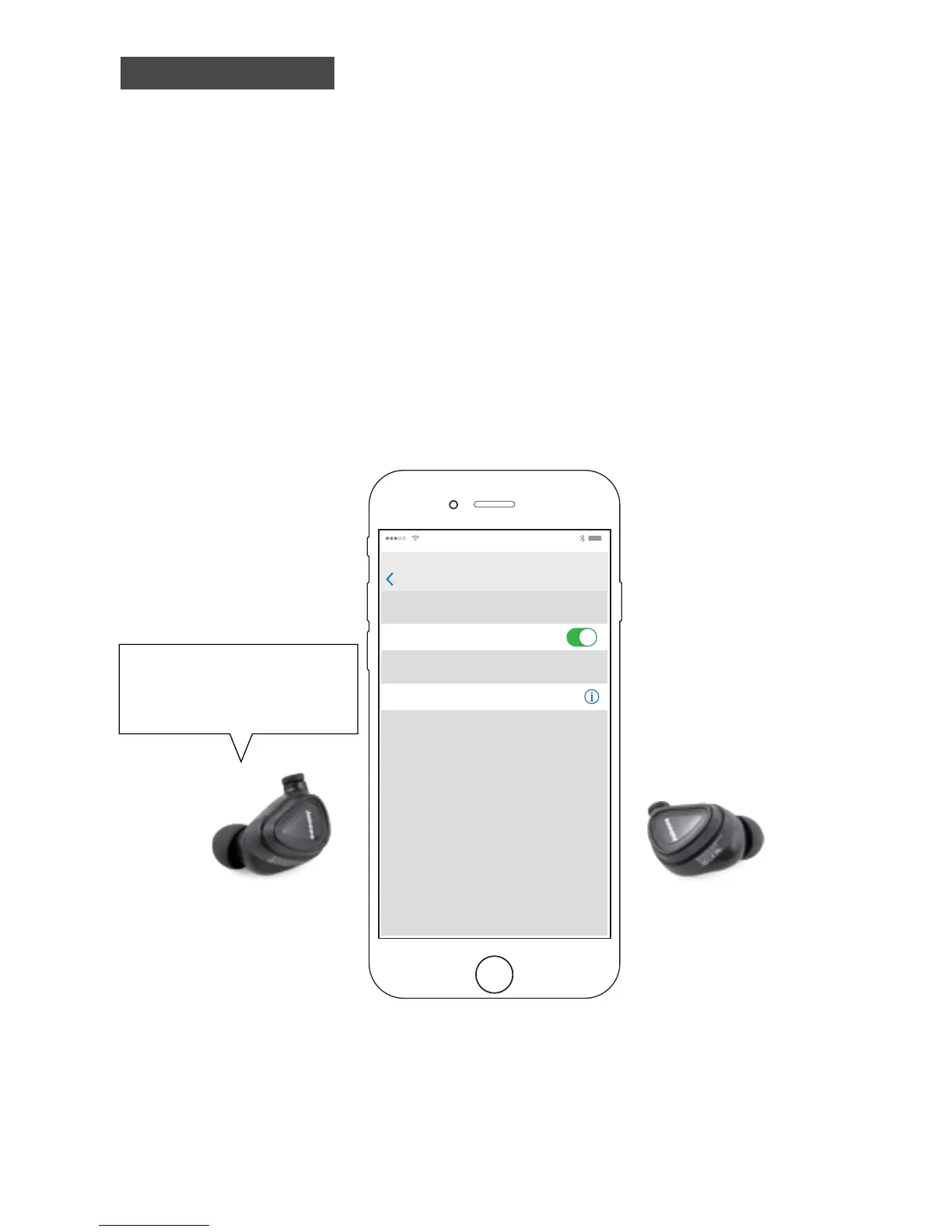
MY DEVICES
To pair an Apple Watch with your iPhone, go to
the Apple Wath app.
Bluetooth
Libre Connected
STEP 2
Search for 'Libre' through your
Bluetooth device
Pairing successful,
2nd device connected
Select ‘Libre’ on your mobile phone. Connection completed.
Earbuds wont pair ?
Incase the left earbud and right earbud didn't pair with each other, turn o
the left earbud by tapping the touchpad for 6 seconds, make sure both
earbuds are turned o ( Right earbuds will turn o automatically )and try to
pair them again from step 1 while holding the earbuds close to each other


 To Next Page