
 Need help?
Do you have a question about the Blueskysea B1M and is the answer not in the manual?
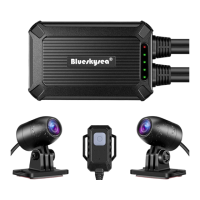
Lists all items included in the product package.
Instructions on how to insert and remove the Micro SD card.
Describes how the camera automatically starts and stops recording.
Details how to start or stop the Wi-Fi function using the wired controller.
Guides for playing video files on a phone or computer.
Steps to search, download, install, and connect the B1MCAM app.
Explains continuous recording and loop duration settings.
Explains the Wide Dynamic Range feature and its options.
Details the available exposure rate settings for the camera.
Explains the options for enabling or disabling sound recording.
Describes G-sensor sensitivity settings for locking video clips.
Details the available settings for the time zoom feature.
Warning and instruction about formatting the memory card.
Explains how to restore the device to its original settings.
Information on setting or resetting the Wi-Fi password.
Displays current firmware version and support contact info.
Steps for a quick test to verify camera and app connectivity.
Recommendations for connecting the power adapter to the bike's power source.
Guide on adjusting the camera's view angle using the app.
Describes the method for installing the DVR unit and cameras on a motorcycle.
 General
| Frame Rate | 30fps |
|---|---|
| Lens | 6-layer glass lens |
| Aperture | F1.8 |
| Operating Temperature | -20°C to 70°C |
| Video Format | MP4 |
| G-Sensor | Yes |
| Parking Mode | Yes |
| Wi-Fi | Yes |
| Weight | 100g |
| Camera Type | Dash Camera |
| Storage | MicroSD card up to 128GB |
| Power Supply | DC 5V/2A |
| Loop Recording | Yes |
| Waterproof | IP67 |
| Battery | No battery, capacitor power supply |

 To Next Page