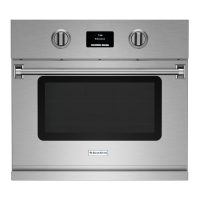
This document is a Use & Care Manual for a BlueStar® Double Electric Wall Oven, model DEWO. It provides comprehensive information on the appliance's function, technical specifications, usage, and maintenance.
Function Description
The BlueStar® Double Electric Wall Oven is designed for discerning home chefs who demand restaurant-quality results in their own kitchens. It is a high-quality electric wall oven manufactured in Blandon, Pennsylvania, and is designed to meet the needs of the world's most demanding chefs. The oven is capable of various cooking modes including Bake, Roast, Broil, Proof, Dehydrate, Convection Bake, Convection Roast, Convection Broil, Convection Proof, Convection Dehydrate, and Clean. It also features a StoneBake™ mode and Sabbath mode. The appliance is designed for ease of installation and operation, and it is recommended to read all sections of this manual before beginning installation and use.
Important Technical Specifications
The oven operates on 240V/60 hertz, 40 amp, recommended circuit. It is a four-conductor connection to an electric oven. For existing construction, a three-wire, single-phase A.C. electrical system may be used if connected to aluminum wiring, provided properly installed connectors approved for use with aluminum wiring are used.
Temperature Ranges:
- Bake Mode: The oven operates at temperatures between 150 and 500 degrees F.
- Broil Mode: The oven operates at temperatures between 80 and 200 degrees F.
- Roast Mode: The oven operates at temperatures between 150 and 500 degrees F.
- Roast Probe Mode: The oven probe temperature can be set between 80 and 200 degrees F.
- Dehydrate Mode: The oven operates at temperatures between 80 and 200 degrees F.
- StoneBake™ Mode: The stone temperature can be set between 250 and 550 degrees F.
Cooking Modes:
The double electric wall oven has 15 operating modes: Bake, Roast, Broil, Proof, Dehydrate, Convection Bake, Convection Roast, Convection Broil, Convection Proof, Convection Dehydrate, and Clean. The top oven also has Probe Roast, Convection Probe Roast, StoneBake™, Convection StoneBake™, Sabbath, and Sabbath Convection modes. Each mode has pre-set minimum and maximum temperature ranges.
Oven Racks:
The oven comes equipped with two standard racks, one extension rack, and two five-position rack guides. The extension rack is a full extension rack that can be pulled out fully from the oven, making it easy to handle heavy items. The full extension rack comes installed at the lowest position, but can be moved to any position.
Baking Stone (Top Oven Only):
The integrated baking stone allows for perfectly baked breads and pizzas. The baking stone temperature probe ensures the stone maintains the desired temperature. The baking stone weighs approximately 35 pounds.
Usage Features
Controls:
The oven features a display screen that shows and instructs the use of all oven features. It has a Top Oven Mode Knob, Top Oven Temperature Control Knob, Bottom Oven Mode Knob, and Bottom Oven Temperature Control Knob. These knobs are used to bypass the display screen and select oven modes and temperatures.
Display Screen:
The Main Menu screen displays the time and the BlueStar® logo. The display allows users to:
- Press Top Oven or Bottom Oven to start any oven operation.
- If "Locked" is displayed, press the BlueStar® logo for five seconds and release to unlock the display.
- The Welcome screen will appear briefly.
- Users will be asked to remove the oven probe from the oven if it is not damaged.
- The Main Menu screen appears.
Convection Fan:
The convection fan can be used for many modes, reducing cooking time with a lower temperature. The fan status can be set to Auto On or Select On/Off for various modes like Preheat, Proof, Dehydrate, Hold & Keep Warm, Bake, Roast, Broil, Probe Roast, StoneBake, Sabbath, and Clean. When the Convection Fan is in Auto On mode, the user will not be able to change its status. The convection fan will also run whenever the elements are energized.
Operating the Oven:
The manual provides detailed instructions for operating the oven using the display panel for various modes:
- Bake: Steps include selecting Top Oven or Bottom Oven, choosing Cook Modes, pressing Bake, setting temperature, selecting Bake or Other, starting the oven, and selecting Bake or Convection Bake. The oven preheats, and an alarm sounds three times when ready.
- Broil: Steps include selecting Top Oven or Bottom Oven, choosing Cook Modes, pressing Broil, setting temperature, selecting Low or High, starting the oven, and selecting Broil or Convection Broil.
- Roast: Steps include selecting Top Oven or Bottom Oven, choosing Cook Modes, pressing Roast, setting temperature, selecting Roast or Other, starting the oven, and selecting Roast or Convection Roast.
- Roast Probe: Steps include selecting Top Oven or Bottom Oven, choosing Cook Modes, pressing Roast, setting temperature, selecting Roast or Other, starting the oven, and selecting Roast or Convection Roast. The probe is inserted into the thickest portion of the meat.
- StoneBake™: Steps include selecting Top Oven or Bottom Oven, choosing Cook Modes, pressing StoneBake™, setting temperature, selecting StoneBake™ or Other, starting the oven, and selecting StoneBake™ or Convection StoneBake™. The baking stone must be pre-dried before first use.
- Proof: Steps include selecting Top Oven or Bottom Oven, choosing Cook Modes, pressing Proof, setting temperature, selecting Proof or Other, starting the oven, and selecting Proof or Convection Proof.
- Dehydrate: Steps include selecting Top Oven or Bottom Oven, choosing Cook Modes, pressing Dehydrate, setting temperature, selecting Dehydrate or Other, starting the oven, and selecting Dehydrate or Convection Dehydrate.
- Sabbath: This mode allows the oven to be used (subject to various constraints) by Sabbath-observant Jews on the Sabbath and Jewish holidays. The oven maintains a set cooking temperature in Bake or Convection Bake modes for a period of up to 76 hours. All alarms and control knobs are disabled unless the display screen is touched.
Kitchen Timers:
The double electric wall oven display has two timers that operate independently from the ovens. Users can set Timer 1 or Timer 2, adjust the desired time, and start. An alarm sounds when the time expires.
Cooking Tips:
- For baking, reduce recommended recipe temperature 25°F to 50°F and cooking time. Closely monitor the first batch of each new recipe.
- For roasting, reduce recommended recipe temperature 25°F to 50°F and cooking time. Closely monitor the first batch of each new recipe.
- For convection cooking, it takes less time at lower temperatures than traditional baking.
- Center baking dishes on the racks for maximum air flow, allowing at least 1" between pans.
- Select a baking dish that has no or low sides like a broiler pan so that the air can circulate freely around the food.
Maintenance Features
Before You Begin:
- Remove and properly discard all temporary labels and packaging material.
- Remove protective plastic wrap from any stainless steel surfaces.
- Before turning on your oven for the first time, remove and wash the oven racks and rack guides in hot, soapy water.
- Wash oven racks, and oven rack guides in hot, soapy water. Rinse well and dry thoroughly.
- Perform the Oven Burn-Off Procedure.
Oven Burn-Off Procedure:
The entire Burn-Off Procedure takes about 100 minutes. It involves removing the baking stone from the top oven before performing the procedure. New appliances are wiped clean with solvents at the factory prior to shipping. The Burn-Off procedure burns off any remaining processing residue. It is recommended to perform this procedure before first use of the oven to remove undesirable odors, flavors, and excessive smoke.
Cleaning:
The electric wall oven's eco-friendly Continu Clean™ works every time the oven is turned on, helping to keep your oven clean by removing oils and vapors without extreme temperatures or harsh cleaning chemicals. When your oven interior becomes heavily soiled, use the self-cleaning cycle to clean your oven.
Cleaning Procedures:
- Convection Fan Guard/Porcelain Enamel: Remove obstructions like aluminum foil or other particles. Apply commercial oven cleaner to a cloth and wipe the guard. Frequency: Once a month; more often with frequent use.
- Exterior Body/Standard RAL Colors: Clean with hot, soapy water. Rinse well and dry thoroughly. For tough stains, apply a cloth soaked in hot water for several minutes. Scrape LIGHTLY with a nylon or rubber spatula. Frequency: As needed.
- Exterior Body/Stainless Steel: Clean with hot, soapy water. Rinse well and dry thoroughly. For tough stains, use a commercial stainless steel cleaner and follow the cleaning manufacturer’s instructions. Frequency: As needed.
- Exterior Body/Textured Paint: Clean with hot, soapy water. Rinse well and dry thoroughly. For tough stains, apply a cloth soaked in hot water for several minutes. Scrape LIGHTLY with a nylon or rubber spatula. Repeat body stainless section – be gentle when scrubbing textured paint. Frequency: As needed.
- Display Screen: Use damp microfiber or soft cotton cloth; wipe dry.
- Oven Interior/Porcelain Enamel: Use a commercially available oven cleaner. Follow cleaner manufacturer’s instructions. Frequency: Once a month; more often with frequent use.
- Oven Fan Guard: Clean the oven fan guard periodically. Keep the fan guard clear of obstructions. Apply a commercially available oven cleaner to a cloth to remove grease build-up and food particles. Follow manufacturer’s cleaning instructions.
- Oven Racks and Guides: Remove and wash in hot, soapy water. Rinse well and dry thoroughly. Dishwasher safe. Frequency: Once a month; more often with frequent use.
- Bake Stone: After the stone is cool, use a nylon scraper or dry cloth to remove crumbs or baked-on residue. Never use an abrasive sponge or brush. Never immerse the stone in any liquid. Do NOT use soap or water on the Bake Stone. Do NOT use commercially available cleaning products on the Bake Stone. The stone will darken in color with use. This is normal. Frequency: After each use.
Oven Light Bulb Replacement:
Only use a 25 watt halogen G9 light bulb. Regular light bulbs cannot tolerate oven temperatures. Make sure appliance and lights are cool, and power has been turned off before replacing light bulb. Remove glass cover, pull out bulb, push new bulb in, replace and press glass cover back into place. Hold replacement light bulb with a dry cloth; do not let hands make contact with light bulb. Oils from skin can shorten replacement light bulb life. If you do touch bulb, clean with rubbing alcohol before use.
Oven Doors:
The oven door hinges may require lubrication periodically to work smoothly. Whether this is necessary, or how frequently, depends on how and how often the oven is used. Open the oven door fully and apply a small amount of lubricant such as food-grade light oil or grease to the ball visible in the hinge slot on your door. Do NOT use sprays like WD-40 or CRC that may get onto the oven door surface. It is recommended to use a food-grade light oil or grease. Avoid using cooking oil or mineral oil.
Hysteresis & Offsets:
The hysteresis setting determines how quickly the oven responds to a change in temperature sensed by the probe. Increasing this number will make the oven react slower while decreasing the number will make it react faster. The factory default and recommended setting is 2.
- Oven probe offset: Allows to calibrate the center of the oven temperature to the probe location. A number followed by a + will increase the center oven temperature while a number followed by a – will increase the center oven temperature. The oven is factory calibrated and changes to this setting are not recommended.
- Product Probe offset: Allows to calibrate the product probe. A number followed by a + will increase the probe temperature while a number followed by a – will increase the probe temperature. The probe is factory calibrated and changes to this setting are not recommended.
- Bottom Bake offset: Allows to calibrate the baking stone temperature to the probe location. A number followed by a + will decrease the stone temperature while a number followed by a – will increase the stone temperature. The oven is factory calibrated and changes to this setting are not recommended.

 Need help?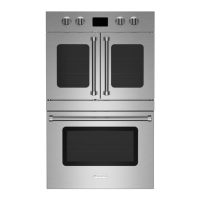

 To Next Page
 General