Quick Install Guide for p2p Bluestork Cameras (iMAC)
152
Connect to a group of cameras:
If you have several cameras and you want to access the group of all your
cameras with one single login you can create an account on the server:
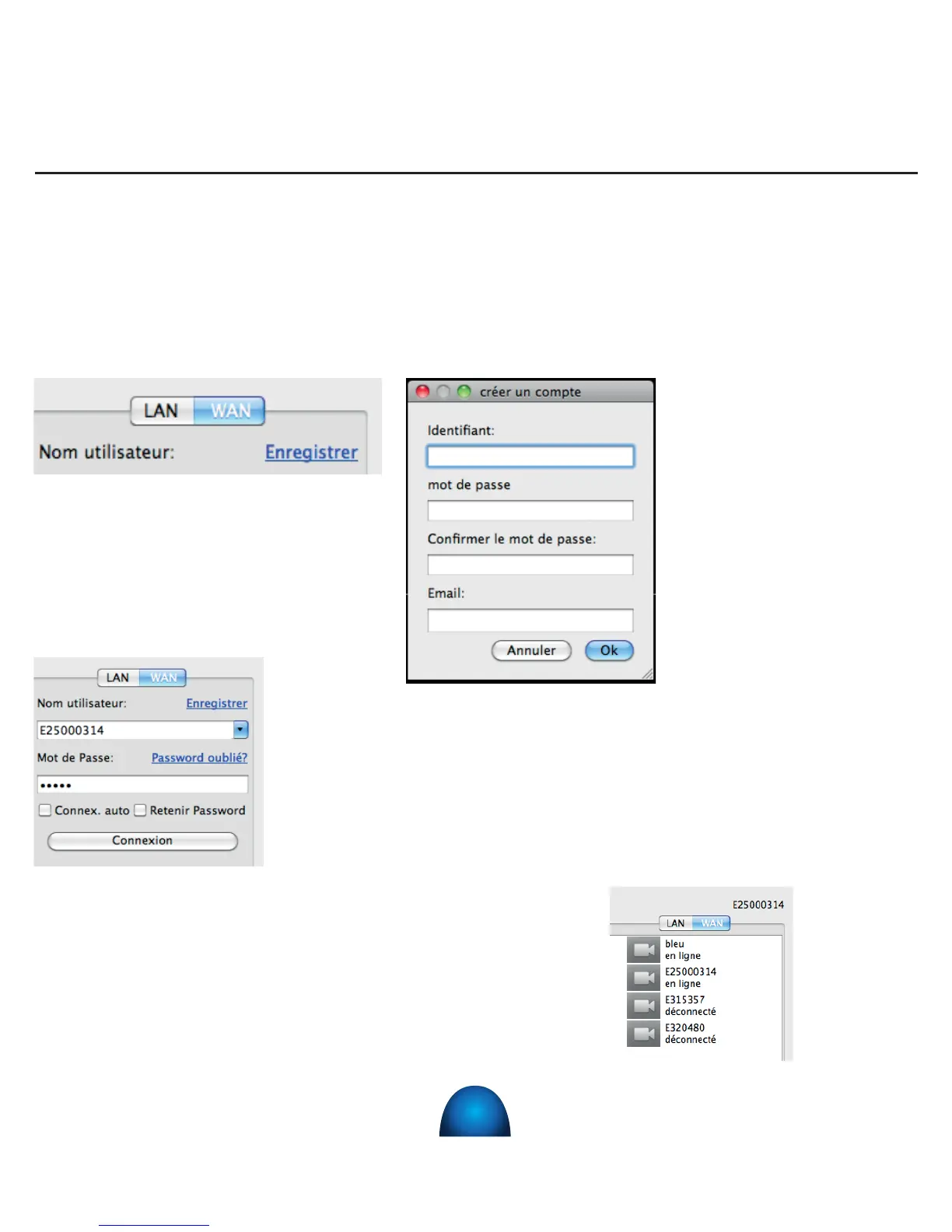
1) Click on « Register » on the
top right of the window
2) Create a login
and a password ;
Conrm the
password and
indicate your email
in order to link your
account to your
email address.
3) ) When you launch your application on PC or a iMAC, or
smartphone, you can enter the login and password that
you registered and thus access from distance the group
of cameras. You can also memorize your login and/or
password.
4) The cameras that are gathered in
this account are then accessible.


 To Next Page