Need help?
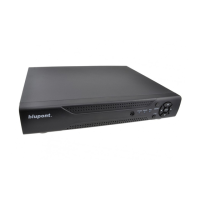
Do you have a question about the Blupont DVR-4CH-H265-BP and is the answer not in the manual?
Guide to installing hard disks in BLUPONT XVR PG and PGH series models.
Guide for installing hard disks in BLUPONT XVR CB, C, DB, and D series models.
Instructions for installing hard disks in BLUPONT XVR L series models.
Description of the rear panel interfaces for the BLUPONT XVR.
Details the rear panel interfaces specific to the 8-channel D series BLUPONT XVR.
Explains the rear panel interfaces for the 32-channel L series BLUPONT XVR.
Instructions on how to power on and boot up the BLUPONT XVR device.
Guide to the initial setup wizard for basic device configuration upon first boot.
Steps for configuring network parameters like IP address for network operation.
How to configure signal access types for each channel of the XVR.
Procedure for adding IP cameras to the BLUPONT XVR system.
How to set up recording schedules for different channels.
How to access and use the instant playback function for current video.
Instructions on how to search and play back recorded video footage.
Steps for properly shutting down the BLUPONT XVR device.
How to access and log in to the BLUPONT XVR via a web browser.
Accessing and viewing live video streams through the web interface.
 General
| Video Compression | H.265 |
|---|---|
| Channel Support | 4 channels |
| Storage Type | HDD |
| Power Supply | DC 12V |
| Hard Drive Support | Up to 6TB |
| Video Output | HDMI, VGA |
| Motion Detection | Yes |
| Network Interface | RJ45 |
| Mobile Viewing | Yes |
| Operating Temperature | -10°C to +55°C |
| Recording Resolution | 1080p/720p |


 To Next Page