Shortcuts
General
The iDrive functions can be stored on the
shortcuts and called up directly, for example,
radio stations, navigation destinations, phone
numbers and menu entries.
Saving a function
1. Select the desired function.
2. Press and hold the desired function.
3. "Add to shortcuts"
Shortcuts can only be created with an active
BMW ID or a driver profile.
Performing a function
1.
Swipe from top to bottom on the control
display.
2. Tap the desired shortcut.
The function is carried out immediately. If you
have selected a phone number for example,
the connection will also be established.
Deleting shortcuts
1.
Swipe from top to bottom on the control
display.
2. Press and hold the desired shortcut.
3. "Delete shortcut"
BMW Curved Display
Principle
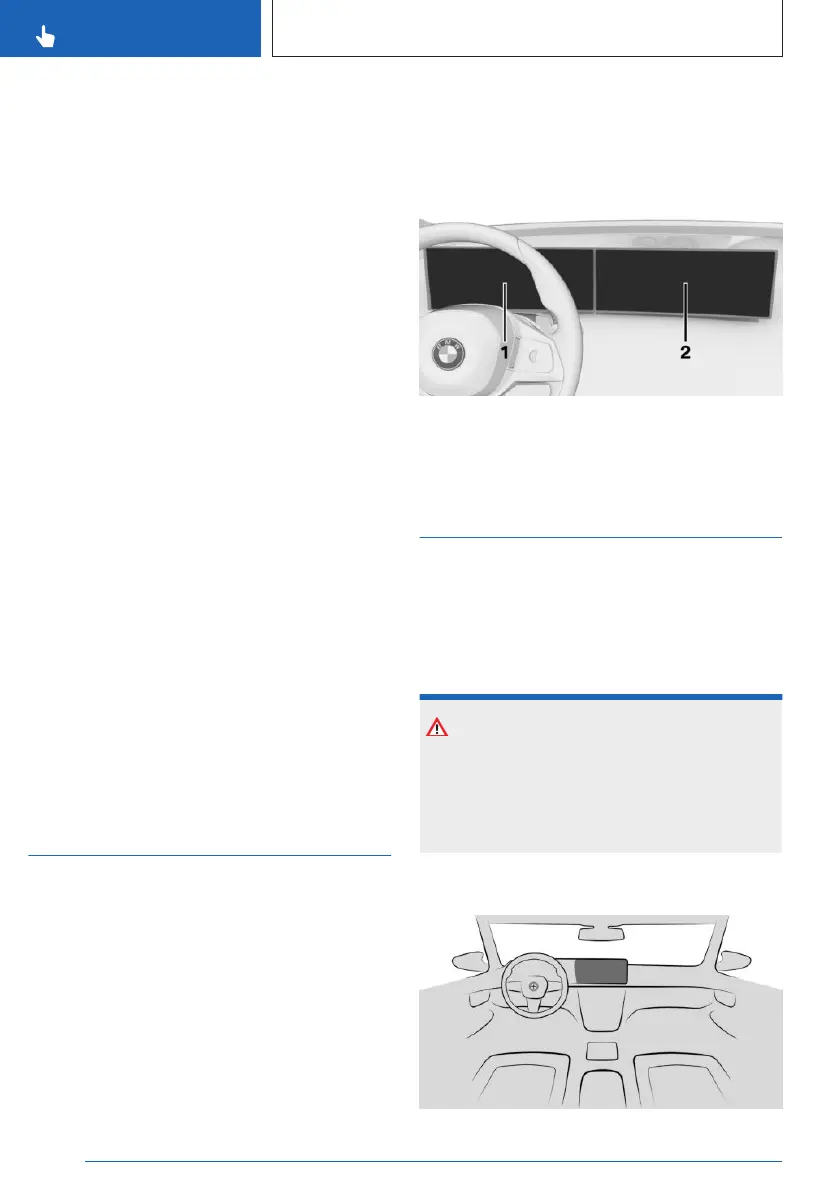
The BMW Curved Display is the one-piece dis-
play in the vehicle that is curved towards the
driver. The BMW Curved Display comprises the
instrument cluster on the driver's side and the
control display in the centre console.
General
Follow the instructions on cleaning the BMW
Curved Display in the Care chapter.
For further information:
Care of special parts, see page 345.
Overview
1 Instrument cluster 140
2 Control display 52
Control display
Principle
The iDrive functions are shown on the control
display.
Safety information
NOTICE
Objects located in front of the control display
may slip and damage the control display.
There is a risk of material damage. Do not
place objects in front of the control display.
Overview
Seite 52
CONTROLS
BMW iDrive
52
Online Edition for Part no. 01405A5E758 - VI/22










 To Next Page