Everything under control
72
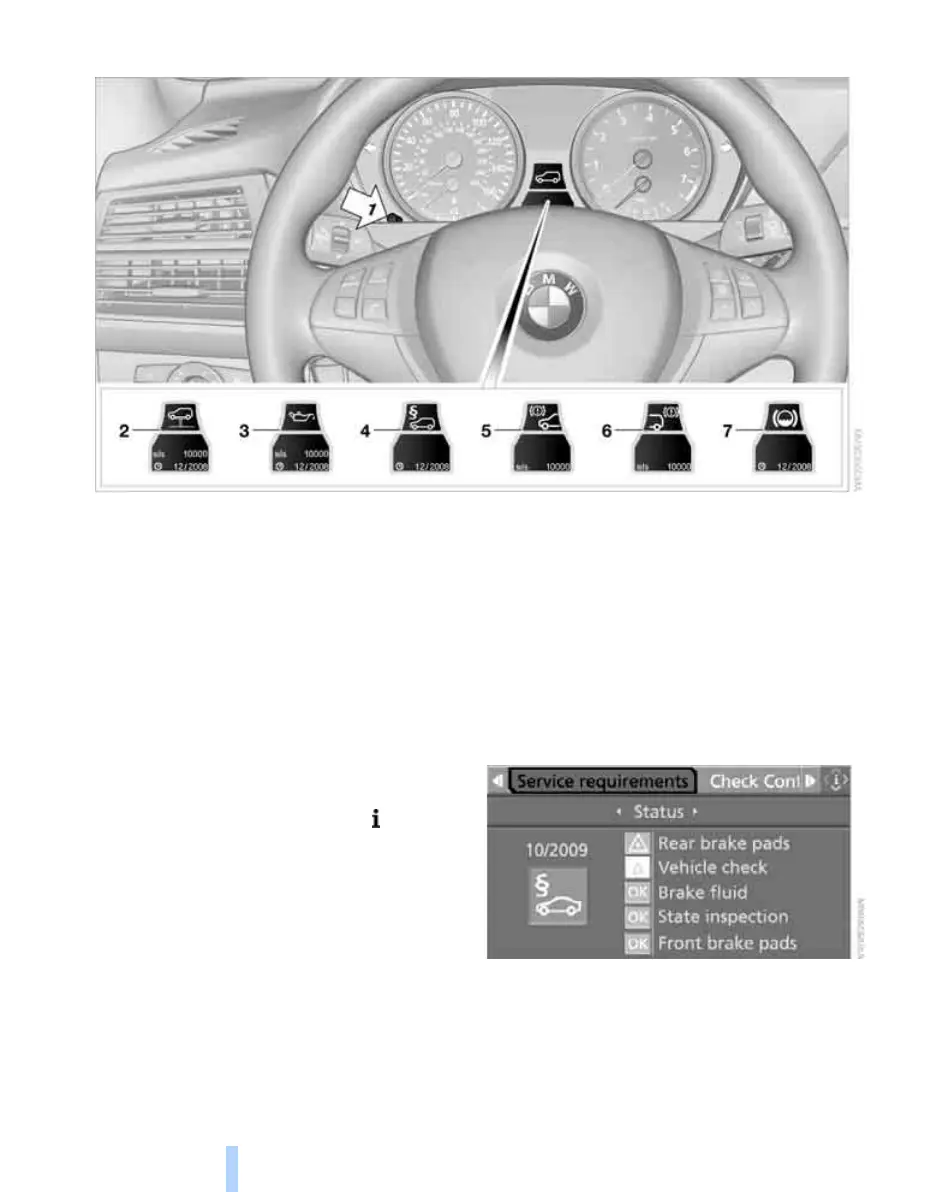
Displaying service requirements
1 Button for selecting display
2 Service requirements
3 Engine oil
4 Legally mandated inspections
*
5 Front brake pads
6 Rear brake pads
7 Brake fluid
The sequence of the displayed maintenance
can vary. First the data for the next maintenance
are displayed.
Additional information
You can select a display of more detailed infor-
mation on the maintenance scope on the Con-
trol Display. For explanation of concept, refer to
page 16.
1. Open the start menu.
2. Press the controller to open the menu.
3. Select "Info sources" and press the control-
ler.
4. Select "Service" and press the controller.
5. Change to upper field if necessary. Turn the
controller until "Service requirements" is
selected and press the controller.
Online Edition for Part no. 01 41 0 012 501 - © 08/06 BMW AG



 To Next Page