Everything under control
78
Switching on hour signal*
You will hear three tones just before each full
hour.
Select "Hour memo" and press the controller.
The hour signal is activated.
The setting is stored for the remote control cur-
rently in use.
Setting time format
1. Select "Time format" and press the control-
ler.
2. Select the desired format and press the
controller.
The setting is stored for the remote control cur-
rently in use.
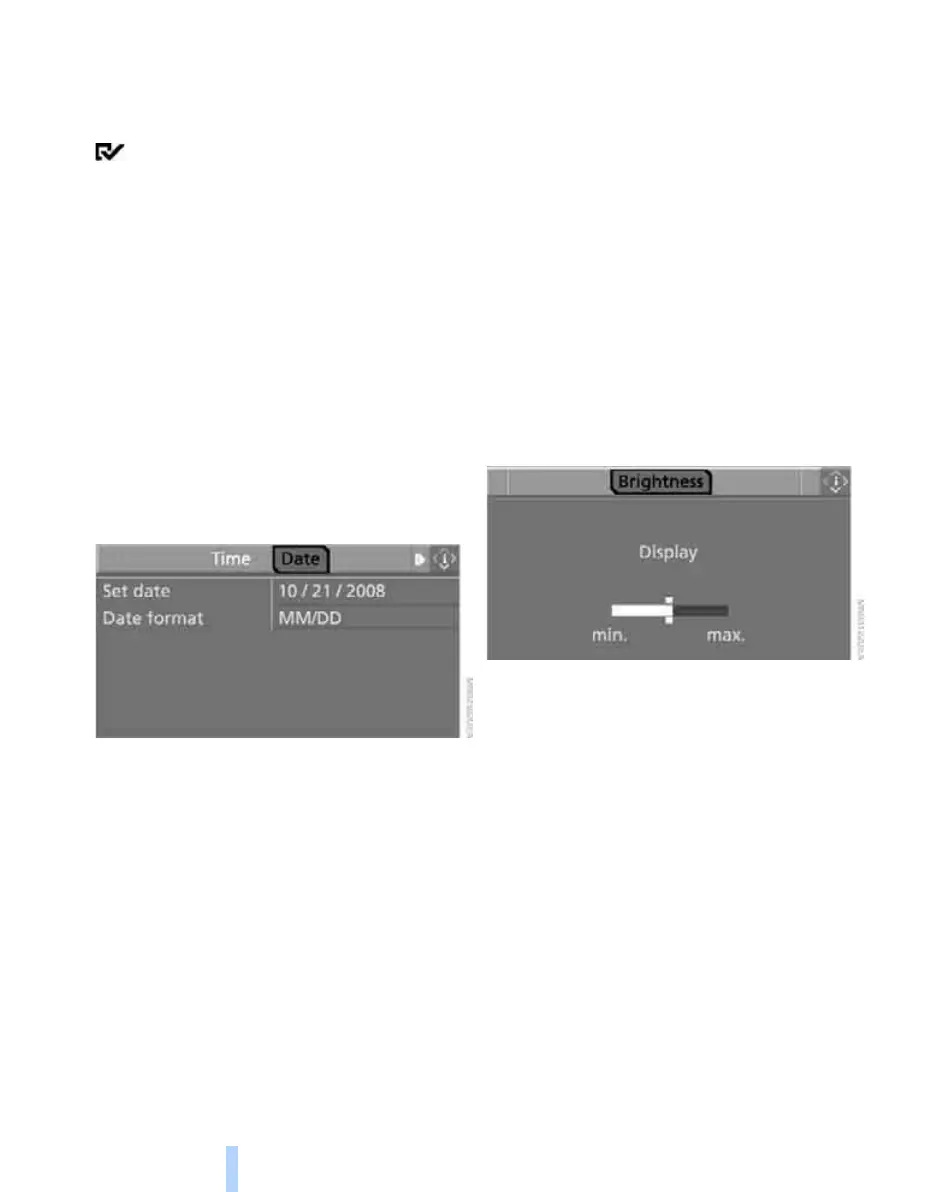
Setting date
1. Turn the controller until "Time / Date" is
selected and press the controller.
2. Select "Date" and press the controller.
3. Select "Set date" and press the controller.
The first section of the date display is high-
lighted, in this case the month.
4. Turn the controller to make the adjustment.
5. Press the controller to apply the setting.
The next setting is highlighted.
6. Make the remaining adjustments. After the
last adjustment, the date is stored.
Changing date format
1. Select "Date format" and press the control-
ler.
2. Select the desired format and press the
controller.
The setting is stored for the remote control cur-
rently in use.
Brightness of Control Display
The brightness is automatically adapted to the
ambient lighting conditions. However, you can
change the basic setting.
1. Select "Display settings" and press the
controller.
2. Change to upper field if necessary. Turn the
controller until "Brightness" is selected and
press the controller.
3. If necessary, move the controller to the right
to select "Display".
4. Turn the controller until the desired setting
is selected.
The setting is stored for the remote control cur-
rently in use.
Online Edition for Part no. 01 41 0 012 501 - © 08/06 BMW AG



 To Next Page