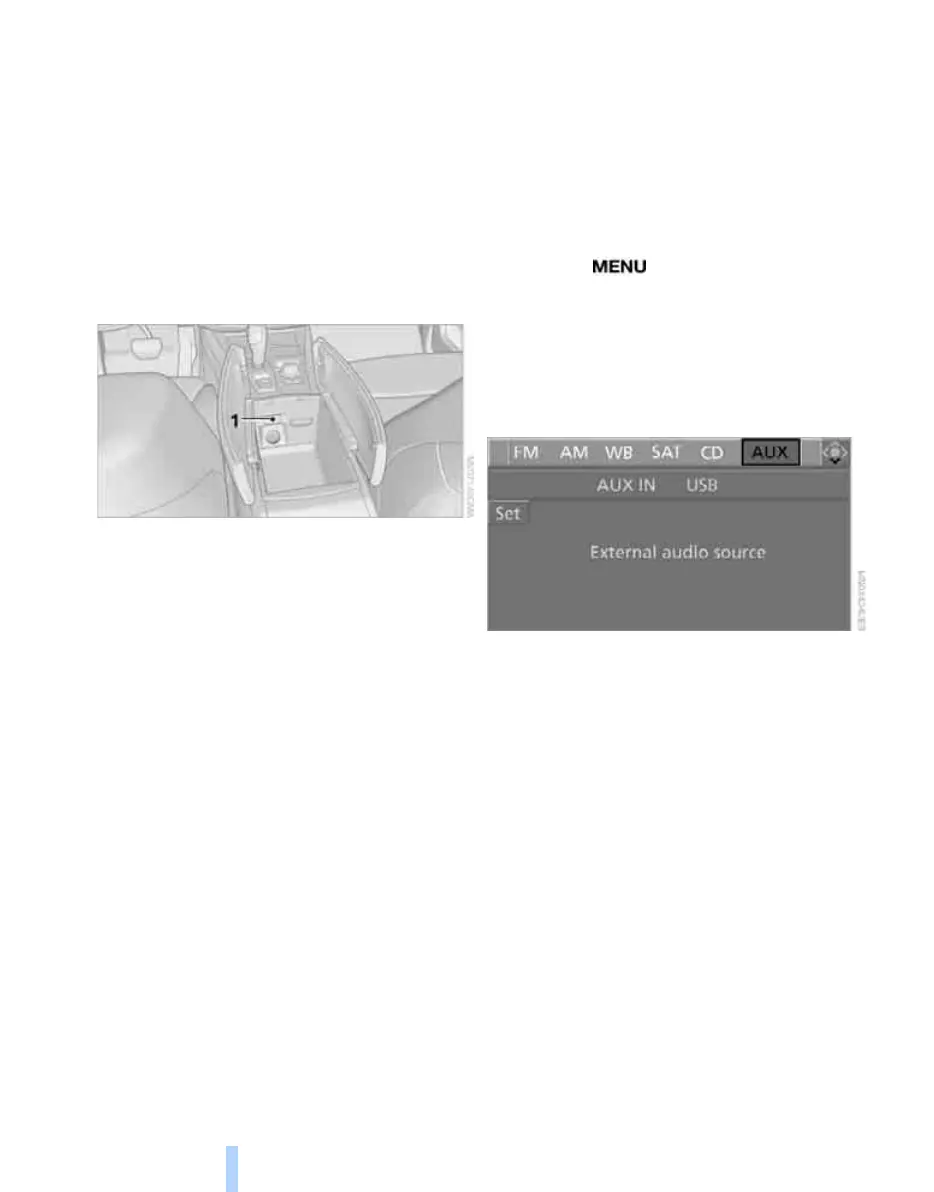
AUX-In connection
188
AUX-In connection
You can connect an external audio device, e.g.
an MP3 player, and play the sound via the vehi-
cle loudspeakers. The sound can be adjusted
via iDrive.
Connecting
Open the lid of the center armrest.
1 Connection for audio playback:
TRS connector 1/8 in/3.5 mm
To play audio tracks through the car's loud-
speaker system, connect the headphone or
line-out port of the device with the AUX-In con-
nection.
Starting audio playback
The audio device must be switched on.
Via iDrive
iDrive, for operating principle refer to page 16.
1. Press the button.
This opens the start menu.
2. Move the controller backwards to open
"Entertainment".
3. Change to upper field if necessary. Turn the
controller until "AUX" is selected and press
the controller.
4. Select "AUX IN" and press the controller.
5. Adjust volume and sound if necessary.
With programmable memory/
direct selection buttons
You can save the function "AUX" on the pro-
grammable memory/direct selection buttons to
start audio playback, refer to page 21.
Online Edition for Part no. 01 41 0 014 248 - © 08/07 BMW AG



 To Next Page