84n
Computer
Calling up functions
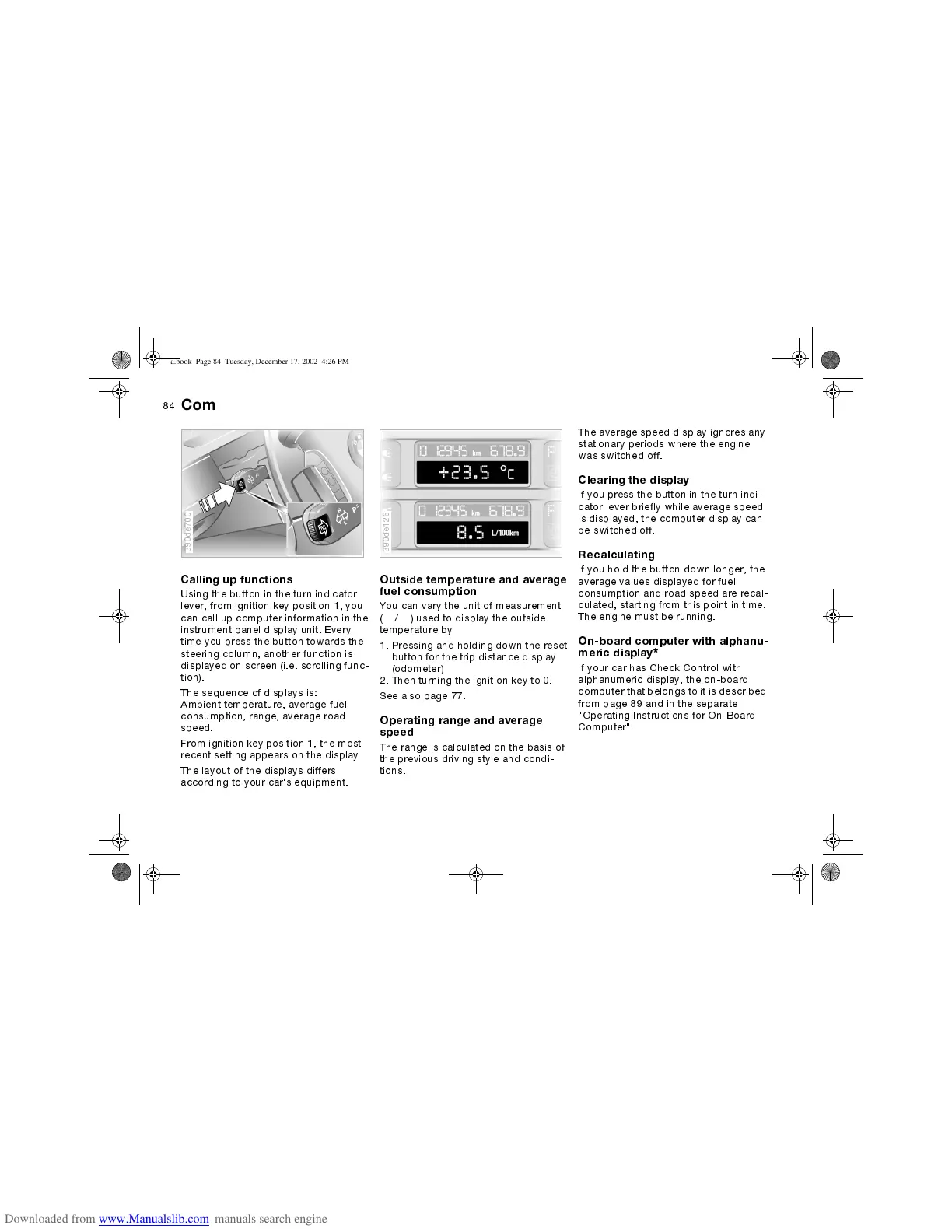
Using the button in the turn indicator
lever, from ignition key position 1, you
can call up computer information in the
instrument panel display unit. Every
time you press the button towards the
steering column, another function is
displayed on screen (i.e. scrolling func-
tion).
The sequence of displays is:
Ambient temperature, average fuel
consumption, range, average road
speed.
From ignition key position 1, the most
recent setting appears on the display.
The layout of the displays differs
according to your car's equipment.
390de700
Outside temperature and average
fuel consumption
You can vary the unit of measurement
(
6
/
7
) used to display the outside
temperature by
1. Pressing and holding down the reset
button for the trip distance display
(odometer)
2. Then turning the ignition key to 0.
See also page 77.
Operating range and average
speed
The range is calculated on the basis of
the previous driving style and condi-
tions.
390de126
The average speed display ignores any
stationary periods where the engine
was switched off.
Clearing the display
If you press the button in the turn indi-
cator lever briefly while average speed
is displayed, the computer display can
be switched off.
Recalculating
If you hold the button down longer, the
average values displayed for fuel
consumption and road speed are recal-
culated, starting from this point in time.
The engine must be running.
On-board computer with alphanu-
meric display
*
If your car has Check Control with
alphanumeric display, the on-board
computer that belongs to it is described
from page 89 and in the separate
"Operating Instructions for On-Board
Computer".
ba.book Page 84 Tuesday, December 17, 2002 4:26 PM


 To Next Page