89n
OverviewControlsMaintenanceMinor repairsDataKeywords
Computer in MID
*
Selecting units of measurement
Only make inputs w hen the car is
standing still to avoid endan-
gering yourself or other road users.
<
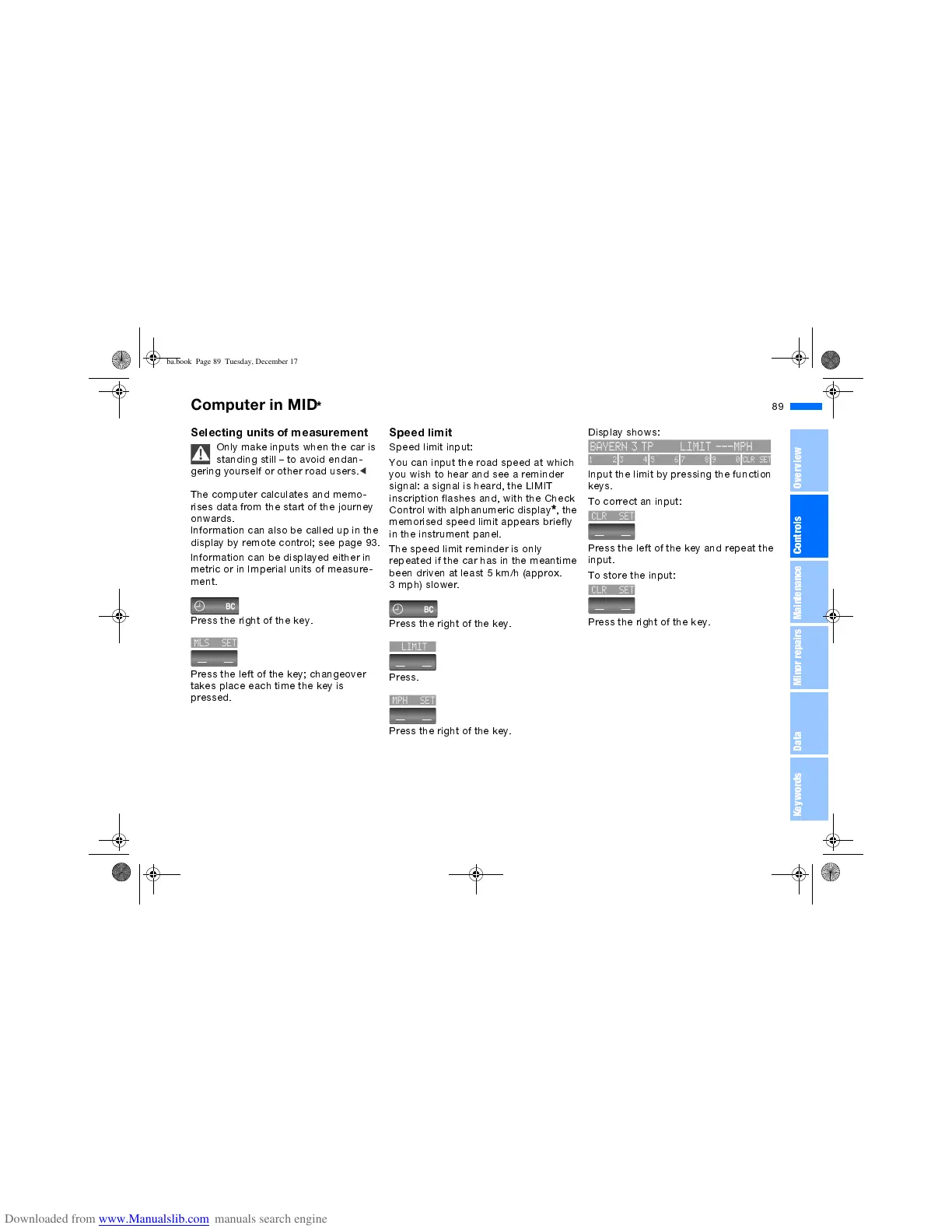
The computer calculates and memo-
rises data from the start of the journey
onwards.
Information can also be called up in the
display by remote control; see page 93.
Information can be displayed either in
metric or in Imperial units of measure-
ment.
Press the right of the key.
Press the left of the key; changeover
takes place each time the key is
pressed.
Speed limit
Speed limit input:
You can input the road speed at which
you wish to hear and see a reminder
signal: a signal is heard, the LIMIT
inscription flashes and, with the Check
Control with alphanumeric display
*
,the
memorised speed limit appears briefly
in the instrument panel.
The speed limit reminder is only
repeated if the car has in the meantime
been driven at least 5 km/h (approx.
3 mph) slower.
Press the right of the key.
Press.
Press the right of the key.
Display shows:
Input the limit by pressing the function
keys.
To correct an input:
Press the left of the key and repeat the
input.
To store the input:
Press the right of the key.
ba.book Page 89 Tuesday, December 17, 2002 4:26 PM


 To Next Page