Tone
General information
The sound settings are stored for the remote
control currently in use.
Treble, bass, balance, and
fader
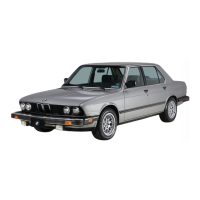
▷ "Treble": treble adjustment.
▷ "Bass": depth adjustment.
▷ "Balance": left/right volume distribution.
▷ "Fader": front/rear volume distribution.
Setting treble, bass, balance, and fader
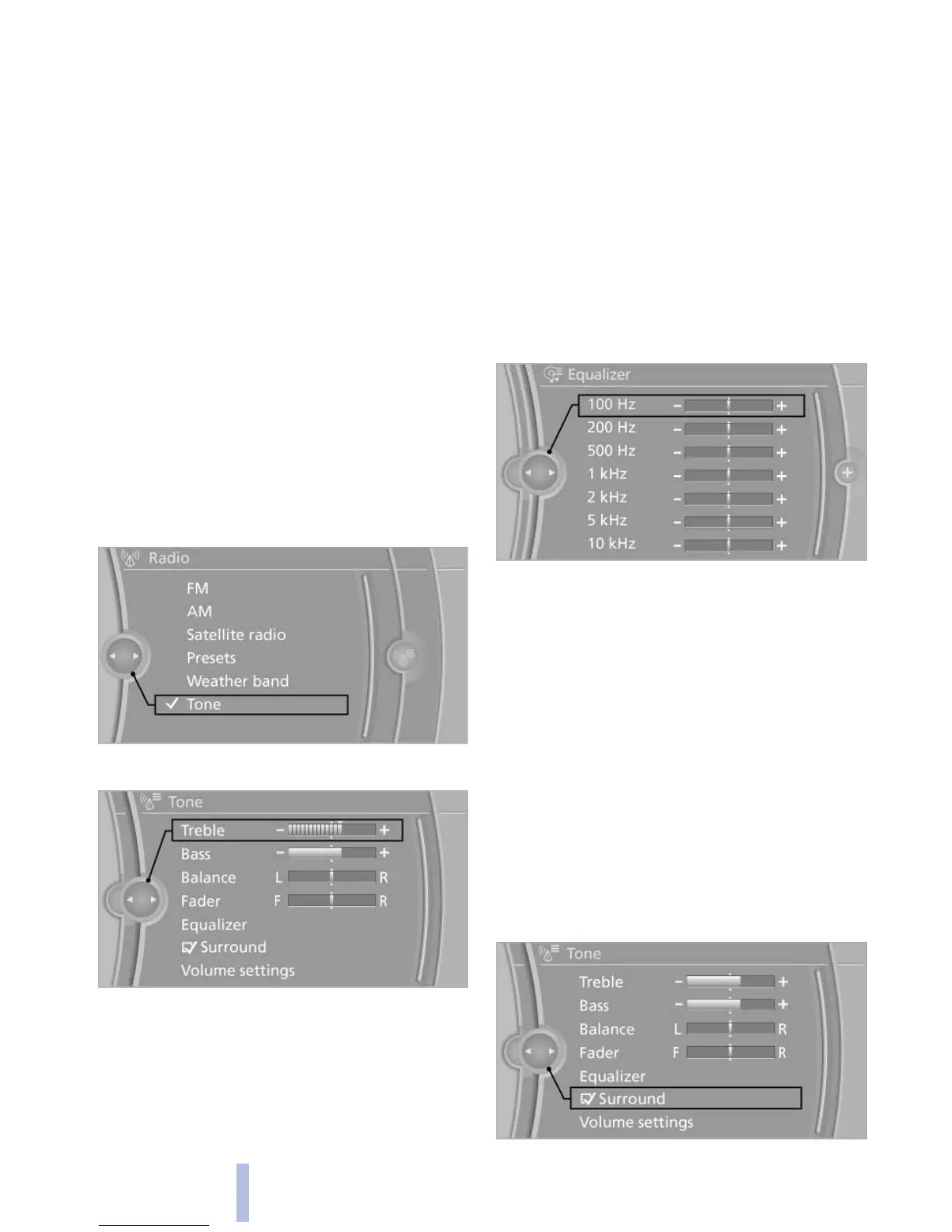
1. "CD/Multimedia", "Radio" or "Settings"
2. "Tone"
3. Select the desired tone settings.
4. To adjust: turn the controller.
5. To store: press the controller.
Equalizer*
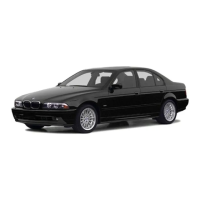
Setting for individual audio frequency ranges.
Adjusting the equalizer
1. "CD/Multimedia", "Radio" or "Settings"
2. "Tone"
3. "Equalizer"
4. Select the desired setting.
5. To adjust: turn the controller.
6. To store: press the controller.
Multi-channel playback,
surround*
Choose
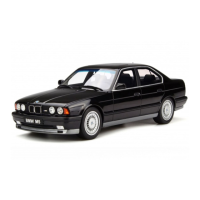
between stereo and multi-channel play‐
back, surround.
Setting multi-channel playback,
surround
1. "CD/Multimedia", "Radio" or "Settings"
2. "Tone"
3. "Surround"
Seite 172
172
Online Edition for Part no. 01 40 2 606 469 - 03 11 490
Tone



 To Next Page