Destination input
136
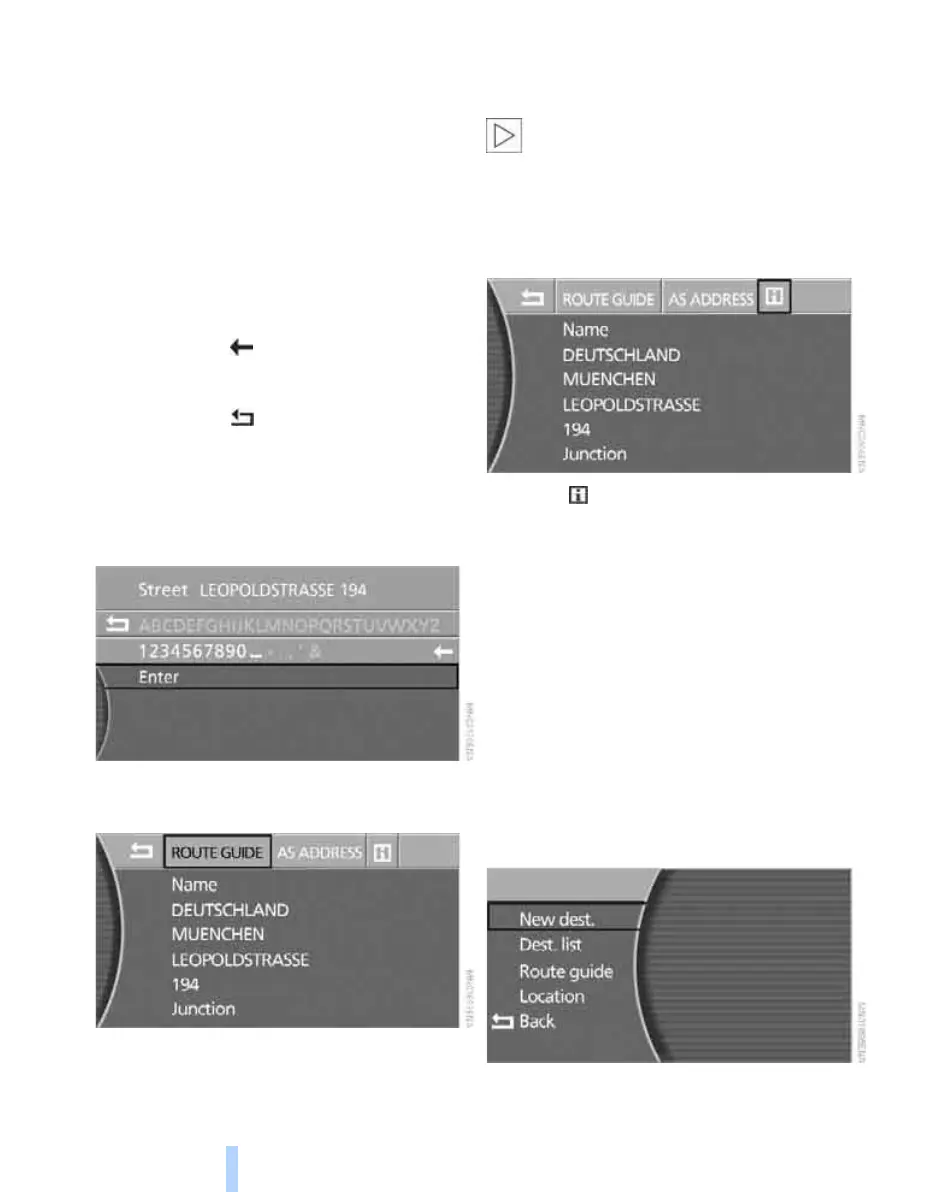
Entering a junction
Enter the junction in the same way as the street.
Entering a house number
You can enter the house number if the naviga-
tion CD/DVD supports this feature.
1. Select "House number" and press the con-
troller.
2. To enter the house number:
Select the individual characters and press
the controller each time.
> Delete last digit or last letter:
Select the symbol and press the con-
troller.
> Cancel selection:
Select the arrow and press the con-
troller.
If the house number entered is not stored
on the navigation CD/DVD, the nearest pos-
sible house number is entered.
3. Select "Enter" and press the controller.
Starting route guidance from a manual
destination input
Select "ROUTE GUIDE " and press the control-
ler.
Route guidance is started immediately.
If route guidance cannot be started, at least one
entry must be deleted from the destinations list,
see page 140.
If route guidance should not be started
directly, you can store the address in the
address book, see page 141, and transfer it to
route guidance later.<
Displaying information on the
destination
Select the symbol and press the controller.
For further notes on the information, see
page 137.
Selecting the destination via
map
If you know only the position of a place or street,
you can enter the destination with the aid of a
map. You can select the destination on the map
by means of cross-hairs and then transfer it for
route guidance:
1. Select "Dest. input" and press the control-
ler.
2. Select "New dest." and press the controller.
Online Edition for Part no. 01 41 0 013 197 - © 02/07 BMW AG



 To Next Page