Navigation Driving hints
151
Reference OverviewControlsCommunication EntertainmentMobility
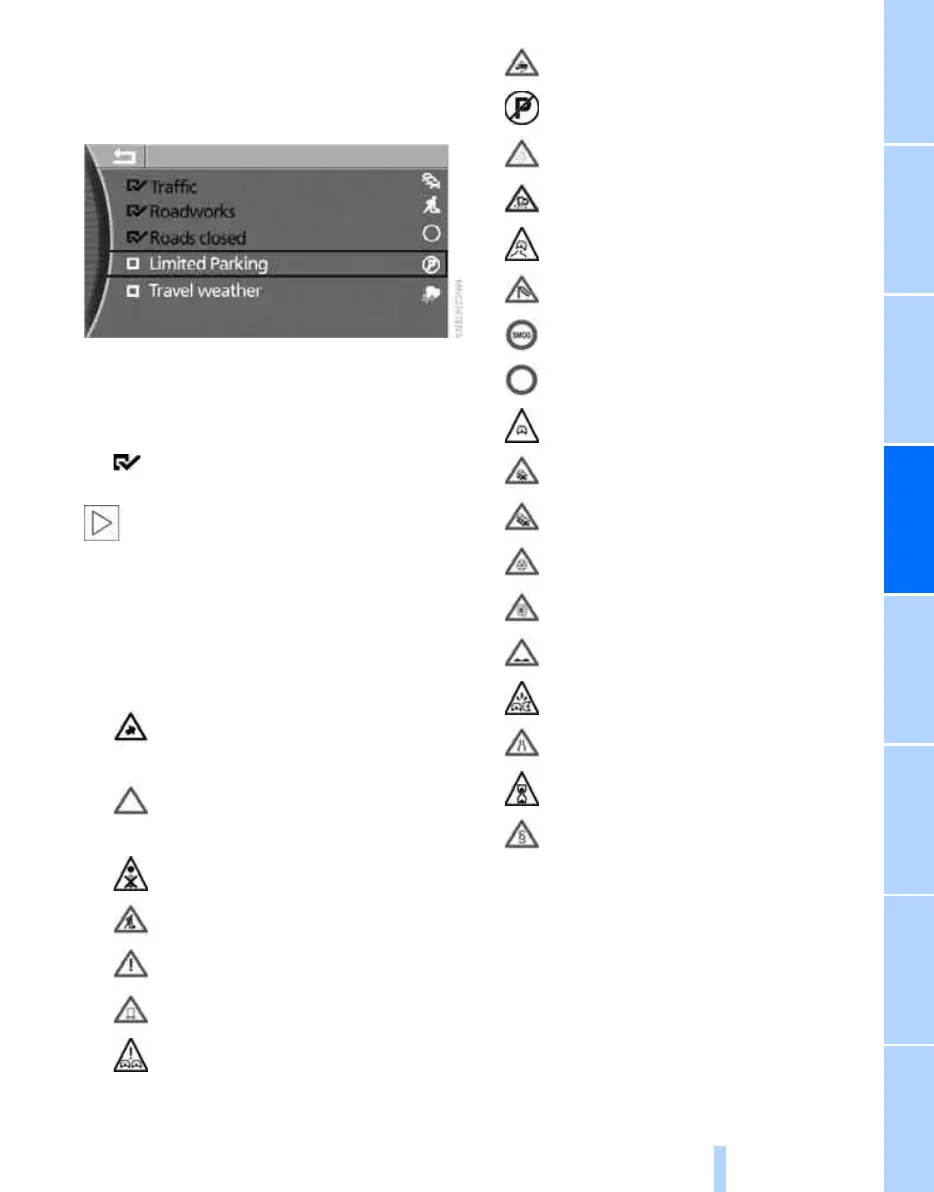
You can limit the scope of the traffic infor-
mation displayed to the type that is of inter-
est to you, e.g."Traffic", "Roadworks" or
"Roads closed".
The categories of traffic information are dis-
played.
2. Select the desired category and press the
controller.
The traffic information for the category
selected is displayed.
Traffic information affecting the selected
route cannot be hidden. For your safety,
traffic information alerting you to a potential
hazard, such as objects on the carriageway,
cannot be hidden.<
Traffic information symbols
TMC traffic information is shown in all route
views by means of the following symbols:
Representation of traffic information in
the map view
The traffic information symbols are shown in
the map view up to a scale of 200 km or
100 miles.
At scales of up to 10 km or 5 miles, additional
information is displayed. The length, direction
Traffic event if scale of map is greater
than 10 km or 5 miles, arrow pointing
in the direction affected
Several traffic events are available.
These are displayed individually with
an enlarged scale
Traffic light failure
Roadworks
Undefined traffic obstruction
Transport of hazardous load
Vehicle on wrong side of road
Height restriction
No parking
Fog
Heavy precipitation
Slippery road
Cross winds
Smog
Road closed
Risk of hold-ups
Stop-and-go traffic
Congestion
Icy roads
Snow chains
Uneven surface
Accident
Narrow road
Delay
Police checks
Online Edition for Part no. 01 41 0 013 197 - © 02/07 BMW AG



 To Next Page