NavigationEntertainment Driving hints
171
Reference OverviewControlsCommunicationMobility
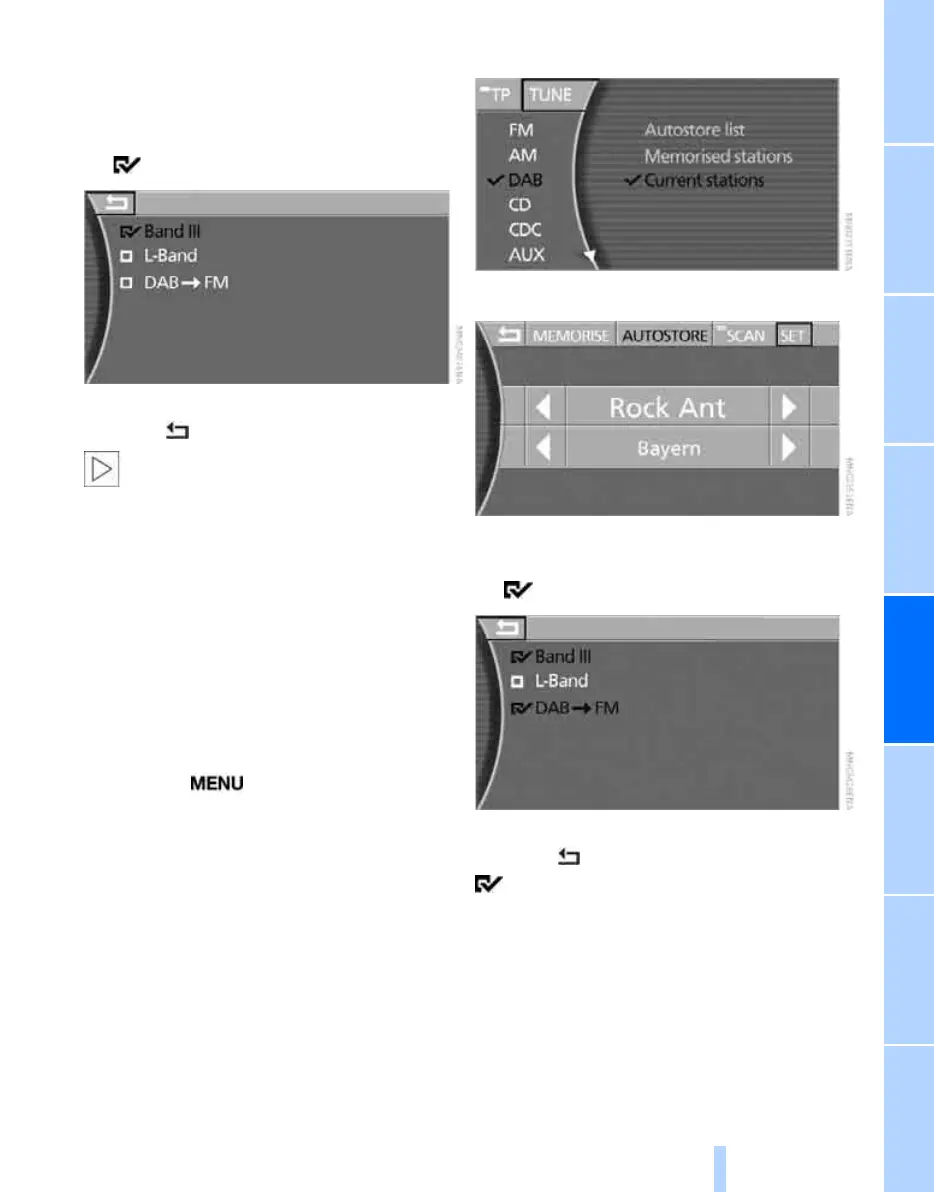
6. Select a frequency band:
> "Band III" for national stations
> "L-Band" for regional stations
7. Press the controller.
The function is selected.
To exit the menu:
Select the arrow and press the controller.
These settings only affect the receivable
ensembles that are subsequently
updated with "AUTOSTORE" as well as manual
station search. If you have deactivated a fre-
quency band after you have memorised sta-
tions from that frequency band, those stations
can still be broadcast.<
Automatic changeover
You can make a setting determining whether
reception should change over to the analogue
frequency automatically if digital broadcasts
cannot be received.
iDrive, principle, see page 14.
1. Press the button to call up the start
menu.
2. Move the controller towards "Entertain-
ment".
3. Select "DAB" and press the controller.
4. Select "TUNE" and press the controller.
5. Select "SET" and press the controller.
6. Select "DAB" ... "FM" and press the con-
troller.
The function is selected.
To exit the menu:
Select the arrow and press the controller.
"DAB" ... "FM": reception will change over
automatically to the analogue frequency.
Once digital broadcasts can be received again,
the radio will change back to digital reception.
Reception can only change over if a station
broadcasts on both DAB and FM. If there is no
analogue frequency available, a corresponding
message will appear in the lower status line, see
page 18.
Online Edition for Part no. 01 41 0 013 197 - © 02/07 BMW AG



 To Next Page