NavigationEntertainment Driving hints
187
Reference OverviewControlsCommunicationMobility
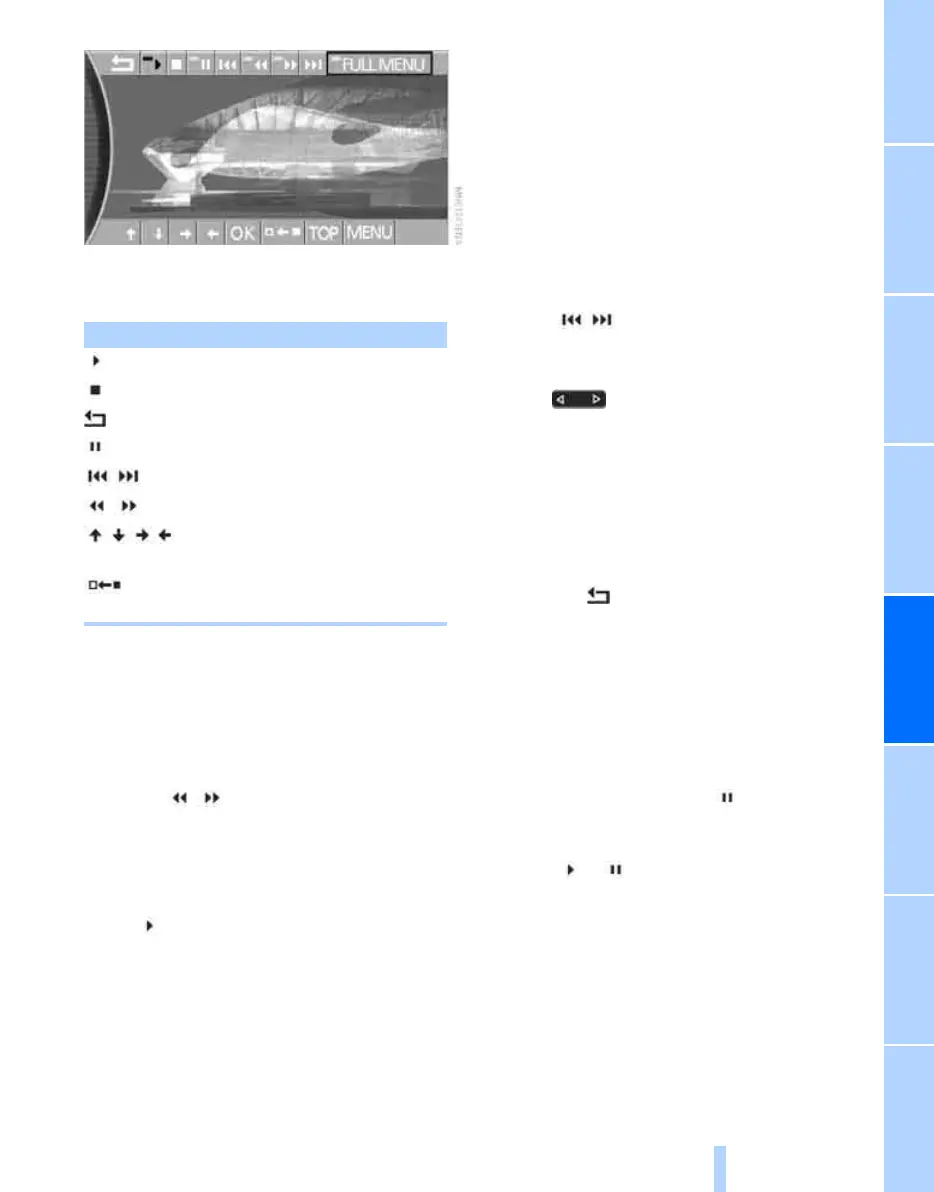
The DVD control options disappear again after
a short while if you do not select a function.
Fast forward/reverse
Fast forward/reverse via DVD control
1. During playback, press the controller to dis-
play the DVD control.
2. Select and press the controller.
3. To increase the fast forward/reverse speed,
press the controller several times.
A distorted DVD picture is visible.
Stop fast forward/reverse:
Select and press the controller.
The DVD begins to play from the selected point.
Fast forward/reverse via controller
1. Turn the controller while the DVD is playing.
Fast forward/reverse is started.
2. Turn the controller further.
The speed is increased.
3. Release the controller.
Fast forward/reverse is interrupted. The
current DVD will start to play from the
selected point.
Skipping chapter
You can switch to the next or previous chapter
while a DVD is playing.
1. During playback, press the controller to dis-
play the DVD control.
2. Select and press as often as neces-
sary until the desired chapter is reached.
or:
Press the button at the left or right side
as often as necessary until the desired chapter
is reached.
Adjusting picture
1. During playback, press the controller to dis-
play the DVD control.
2. Select the arrow and press the control-
ler.
3. Adjusting picture, see page 183.
Stills
1. During playback, press the controller to dis-
play the DVD control.
2. At the desired point, select and press
the controller.
The film is halted.
3. Select or and press the controller to
cancel the still image.
The DVD starts to play again from the point
at which it was interrupted.
Softkey Function
Starting play
Stopping a DVD
Closing DVD control options
Switching the still on or off
Skipping chapter
Fast forward/reverse
DVD-specific menu:
Selecting functions
DVD-specific menu:
Returning to previous menu
Online Edition for Part no. 01 41 0 013 197 - © 02/07 BMW AG



 To Next Page